Blog The Social Home team
Spaces, redesigned: calmer, quicker, and local
Spaces get a fresh look. One Spaces page with Discover, a space that opens on its people and the composer, tabs that fit your screen, settings on one page, and a calendar that shows a camp once. Public spaces can now be local communities for the households nearby. All in Social Home 2026.10.20.
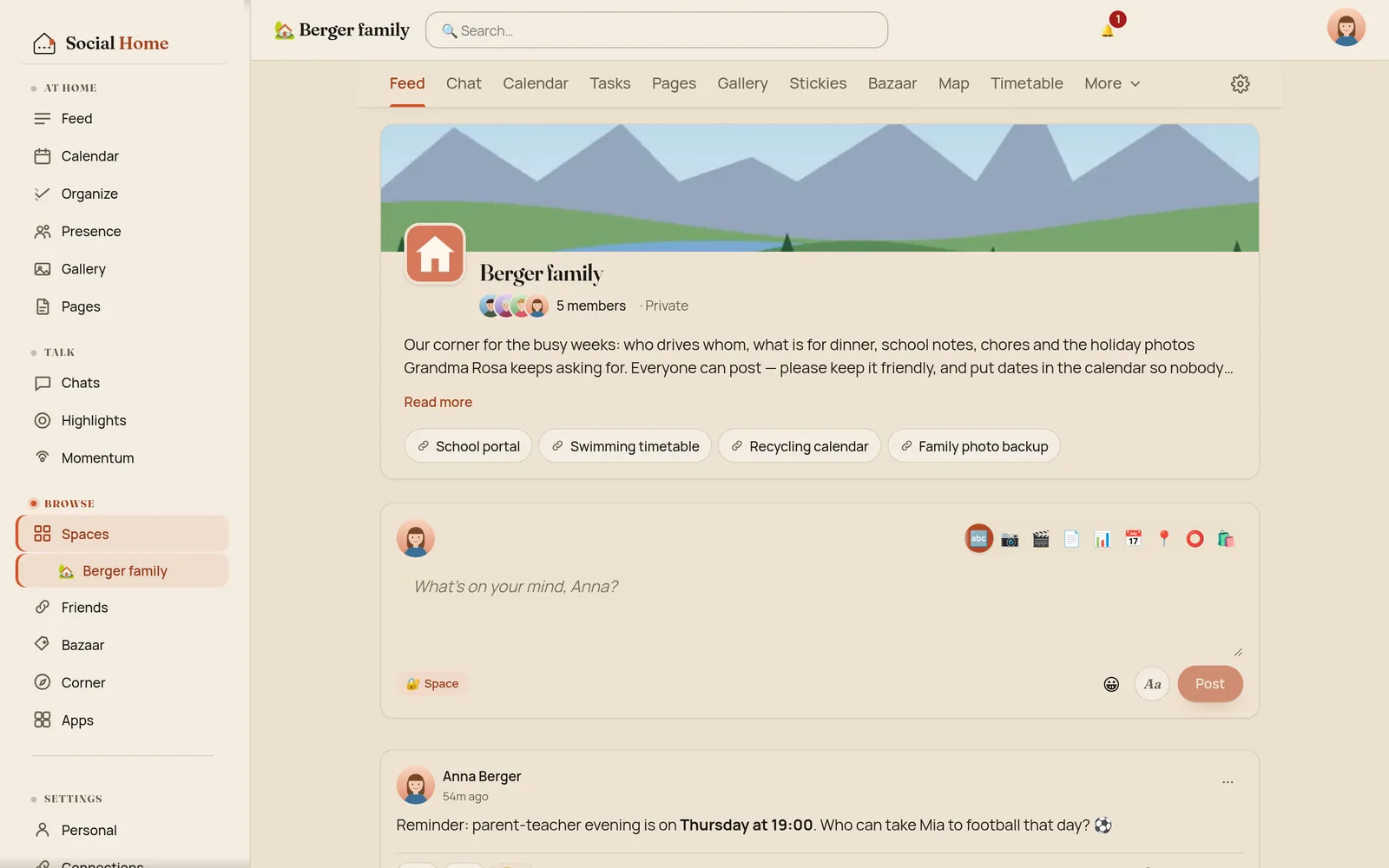
Spaces are where Social Home meets the world outside your front door: the family group with Grandma, the choir, the neighbours, the parents’ council. They were also the last big part of the app still on the old look: tilted paper cards, up to ten tabs in a row, and a phone that made you scroll past a cover and the full About text before you could write a post.
So we went through every screen under Spaces in three review rounds: an audit of the app as it was, layout experiments, and a fresh design review against the redesigned Connections and Friends pages. The result ships in Social Home 2026.10.20: calmer pages, fewer taps, and a new kind of public space, the local community.
All screens below show a sample household: the Bergers, with Anna, Jonas, Mia, Leo and Grandma Rosa, around Zürich.
One Spaces page
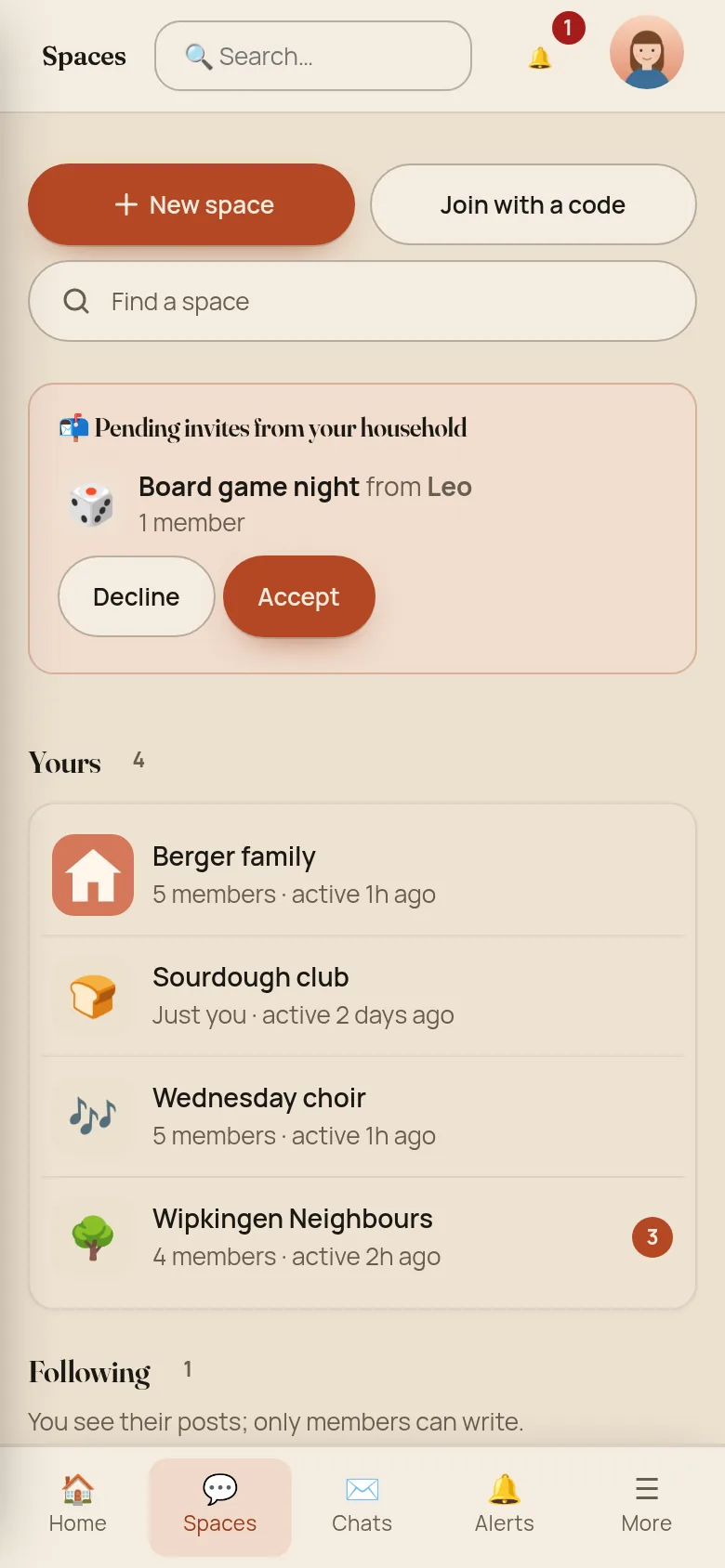
Spaces and Browse used to be two pages with different card styles. Now there is one: a pending invite on top (with the space’s name, its picture and who invited you), then Yours, then the spaces you Follow, then Discover to find more, and your archive folded away at the bottom. Every row says how many people are in the space, when it was last active, and how many posts are new since you last looked.
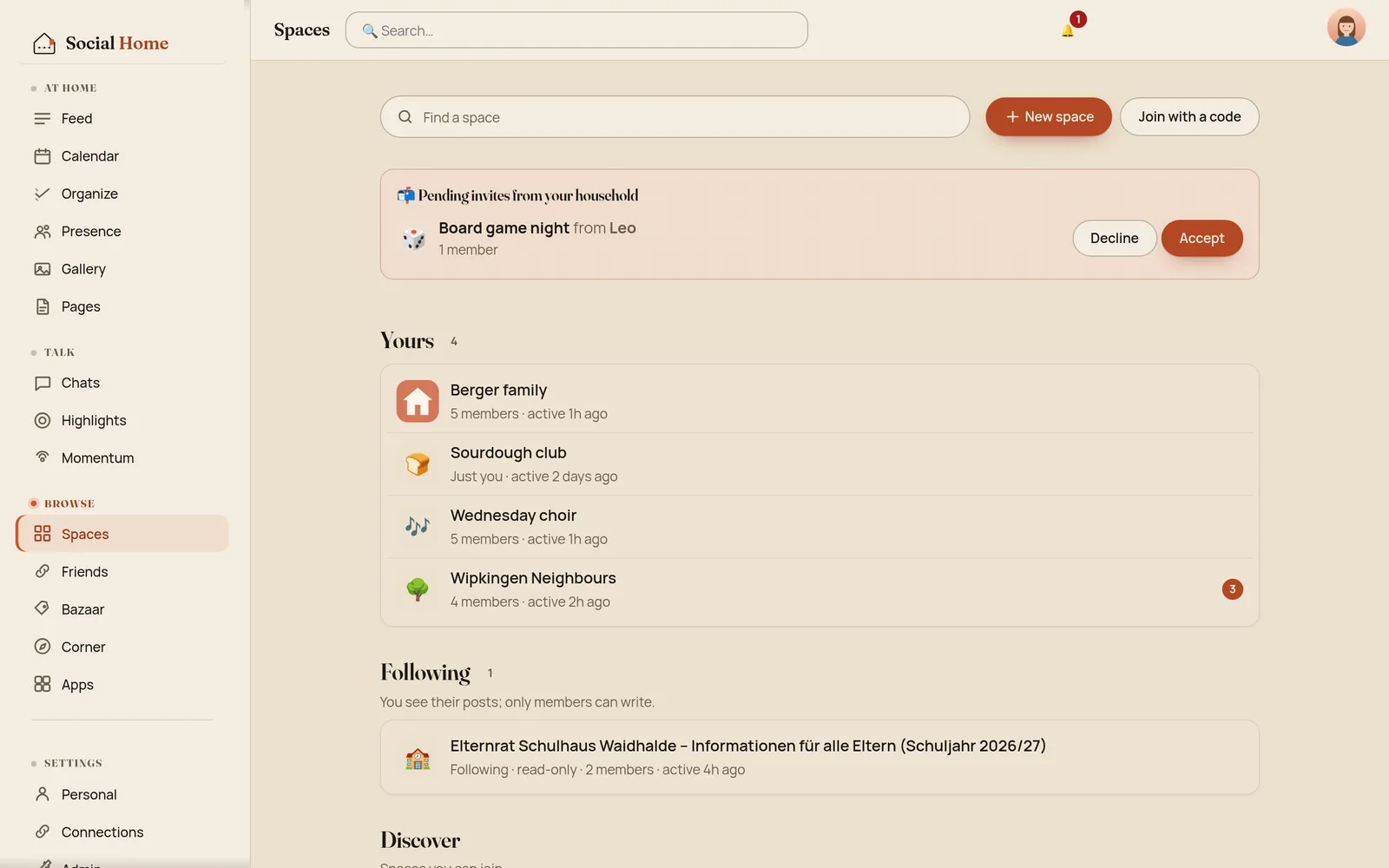
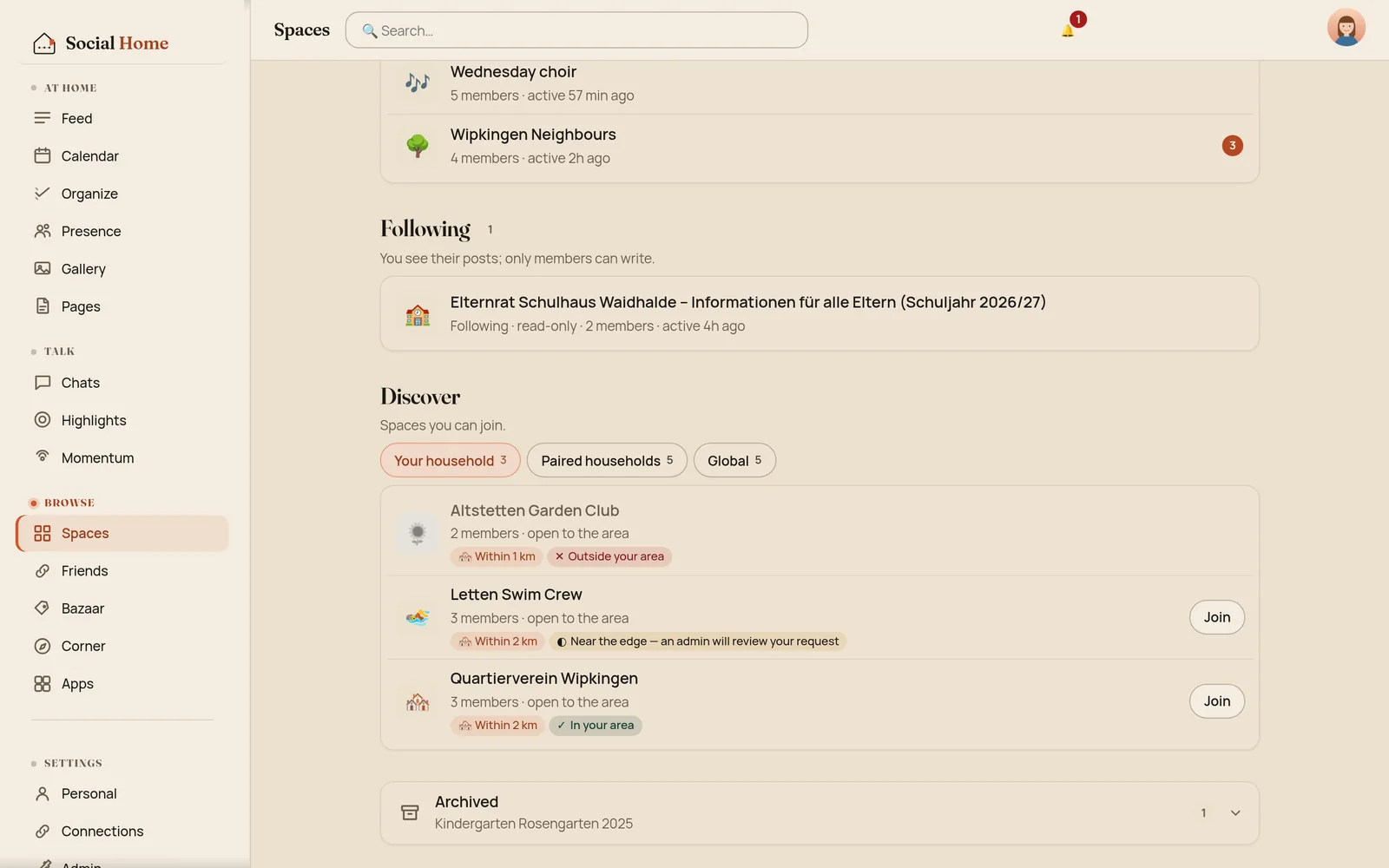
Discover has three tabs: Your household, Paired households and Global. Household spaces now work the way the app always described them: everyone at home is a member, and an open household space you haven’t joined yet shows up in Discover. Spaces that need an invite never appear there.
A space opens on its people
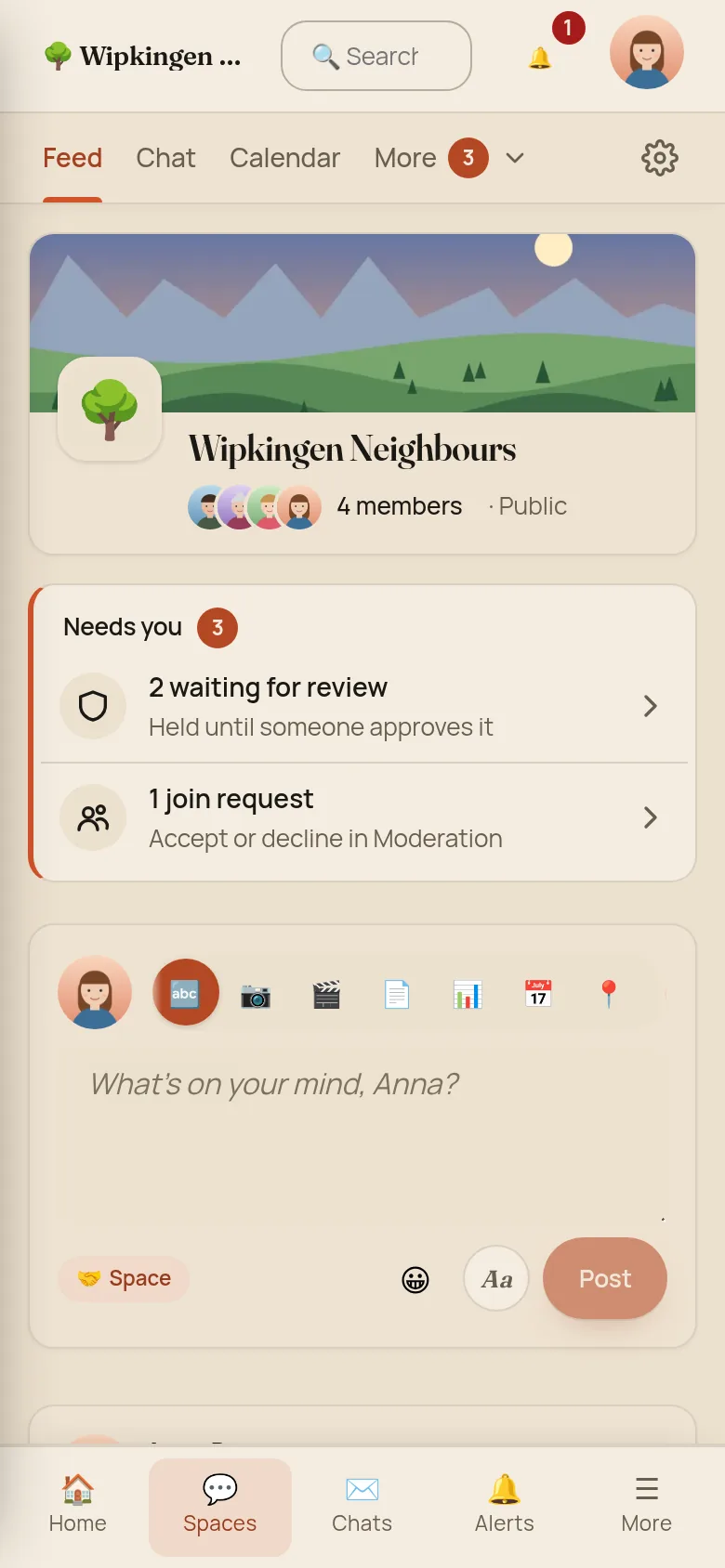
A space now opens on a compact home: the cover, the name, the faces of its members, two lines of About with Read more, the quick links, and the composer. On a phone the composer used to start 1,133 pixels down, more than a full screen of scrolling. Now it starts at 465.
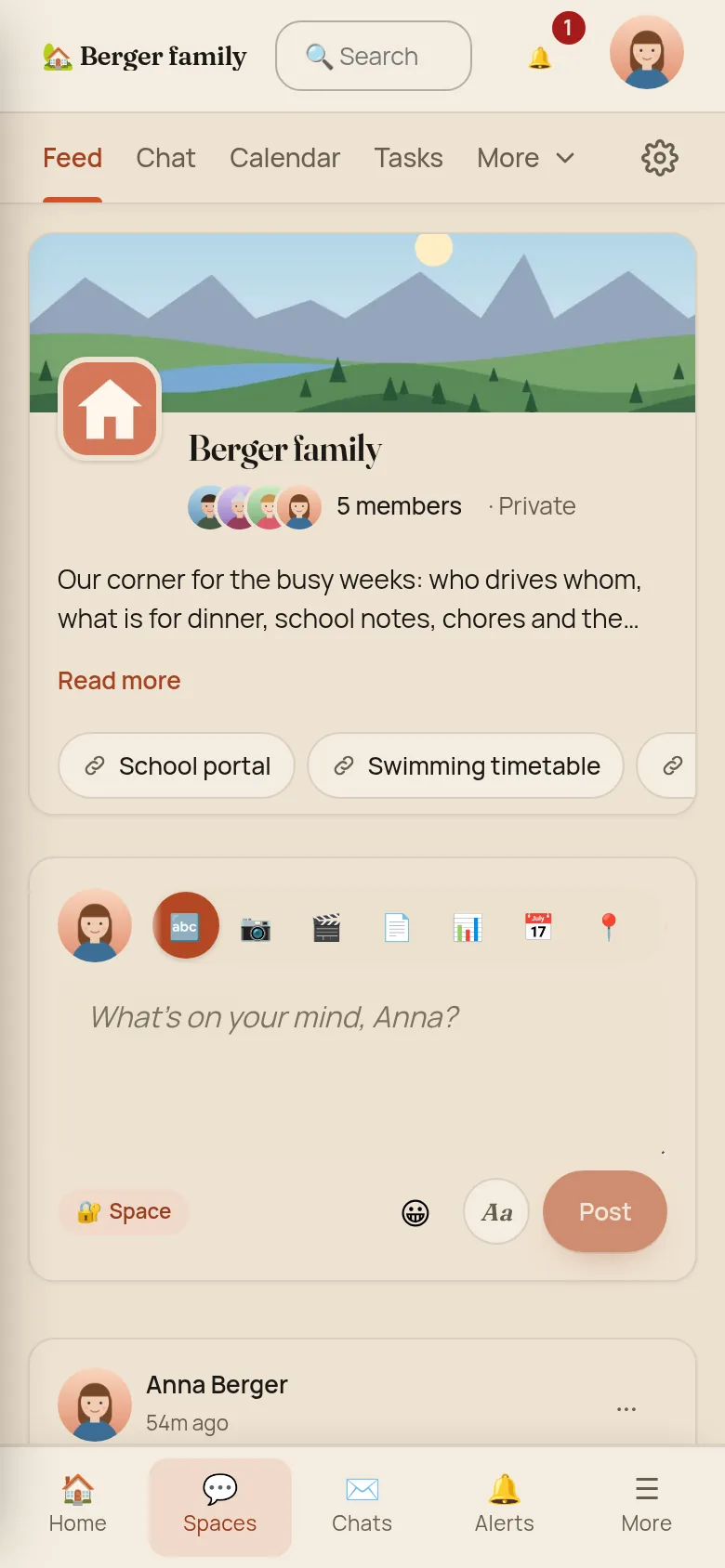
If you run a moderated space, what’s waiting for you sits right under the name in one card called Needs you: posts to review, join requests and proposals, each one tap from where you deal with it.
Tabs that fit your screen
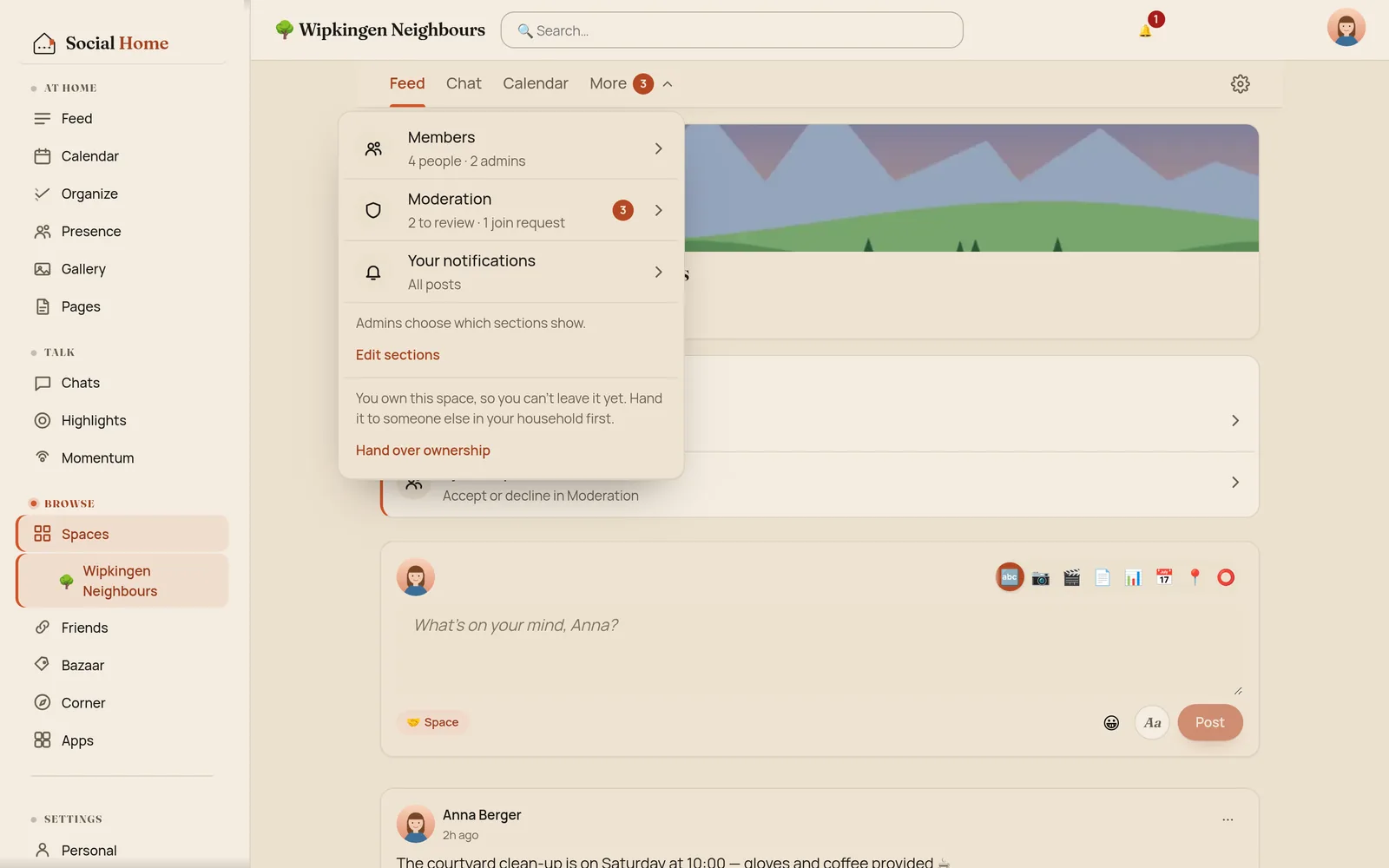
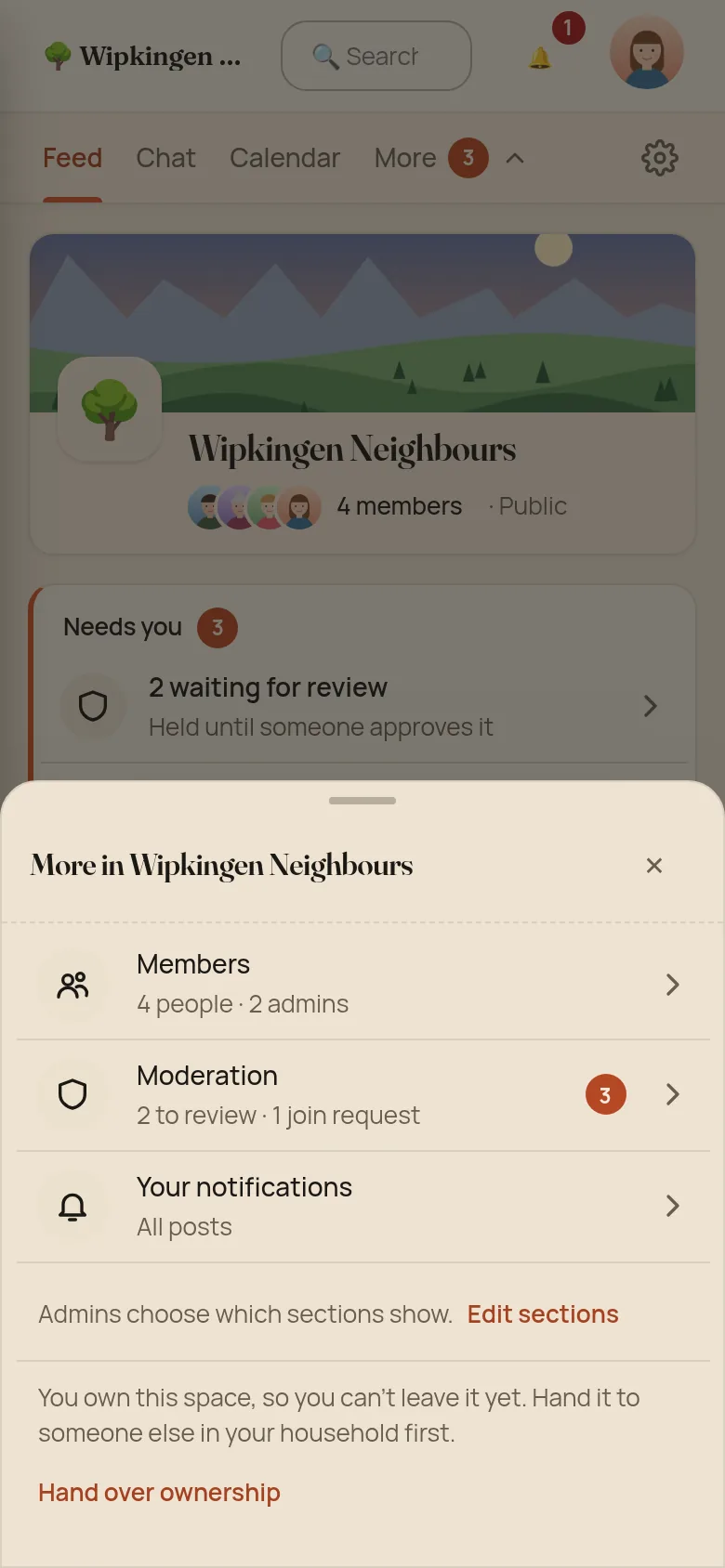
A space can have up to ten sections: Feed, Chat, Calendar, Tasks, Pages, Gallery, Stickies, Bazaar, Map and Timetable. On a phone you used to see two of them. Now the tab row shows as many as fit, always in the same order, and the rest move under More. A desktop shows them all.
More also holds Members, Moderation with its count, and your notifications for that space. There is one bell for the whole app now, in the top bar, instead of a second one inside each space.
Each section has its own address, so Refresh and Back keep you where you were, and you can send someone a link straight to a space’s calendar.
Chat gets the whole screen
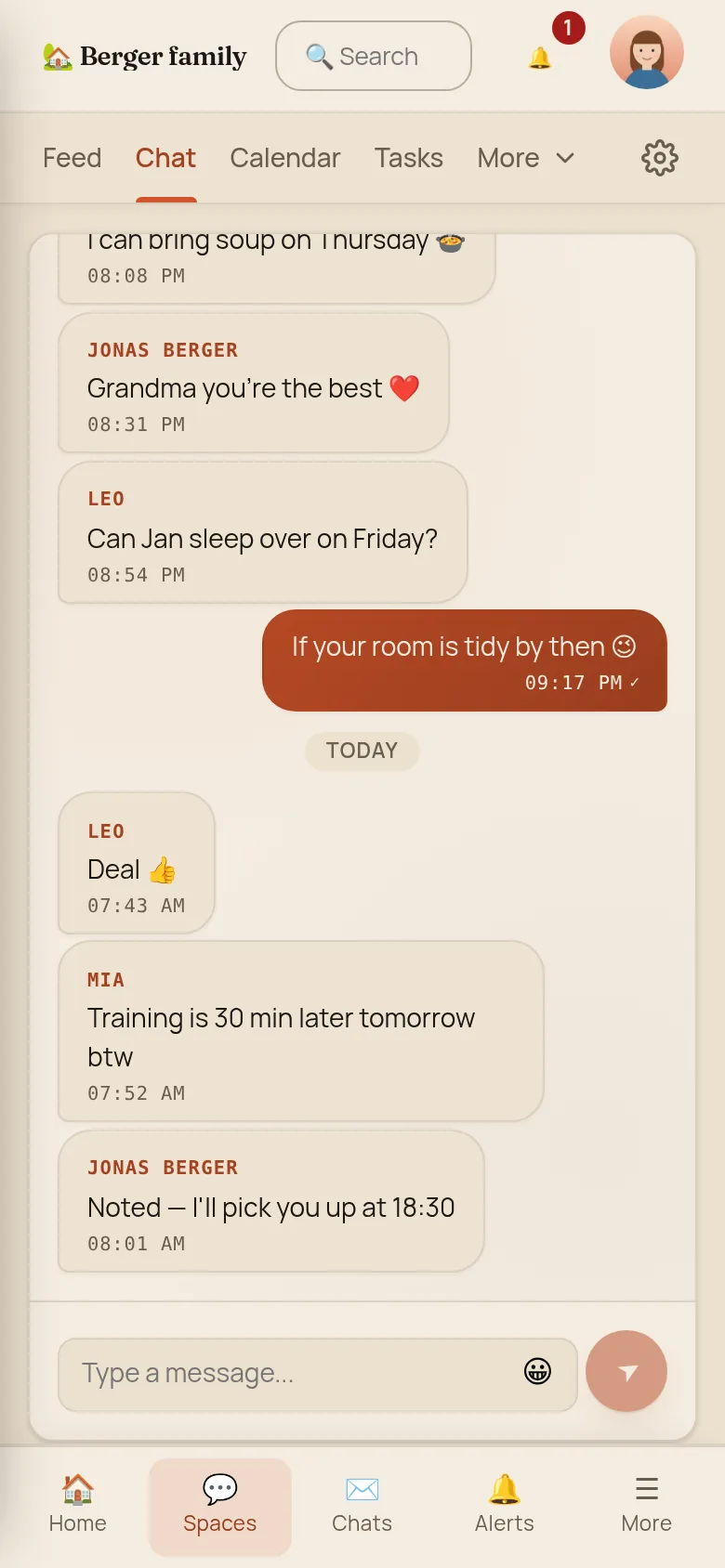
A space’s chat used to be a small box inside the feed, 215 pixels tall on a phone. It is now its own section and fills the screen, with yesterday’s messages above today’s. If you missed how chat and the feed fit together, the chat post has the story.
A calendar that shows the camp once
The calendar used to nest three rows of tabs, and a six-day holiday showed up as six separate cards. Now there is one row of controls. It opens on Upcoming: this week, next week, and what comes after, with a five-day camp shown once with its dates and length. Month draws the camp as one bar across its days, and on a desktop there is Week too.
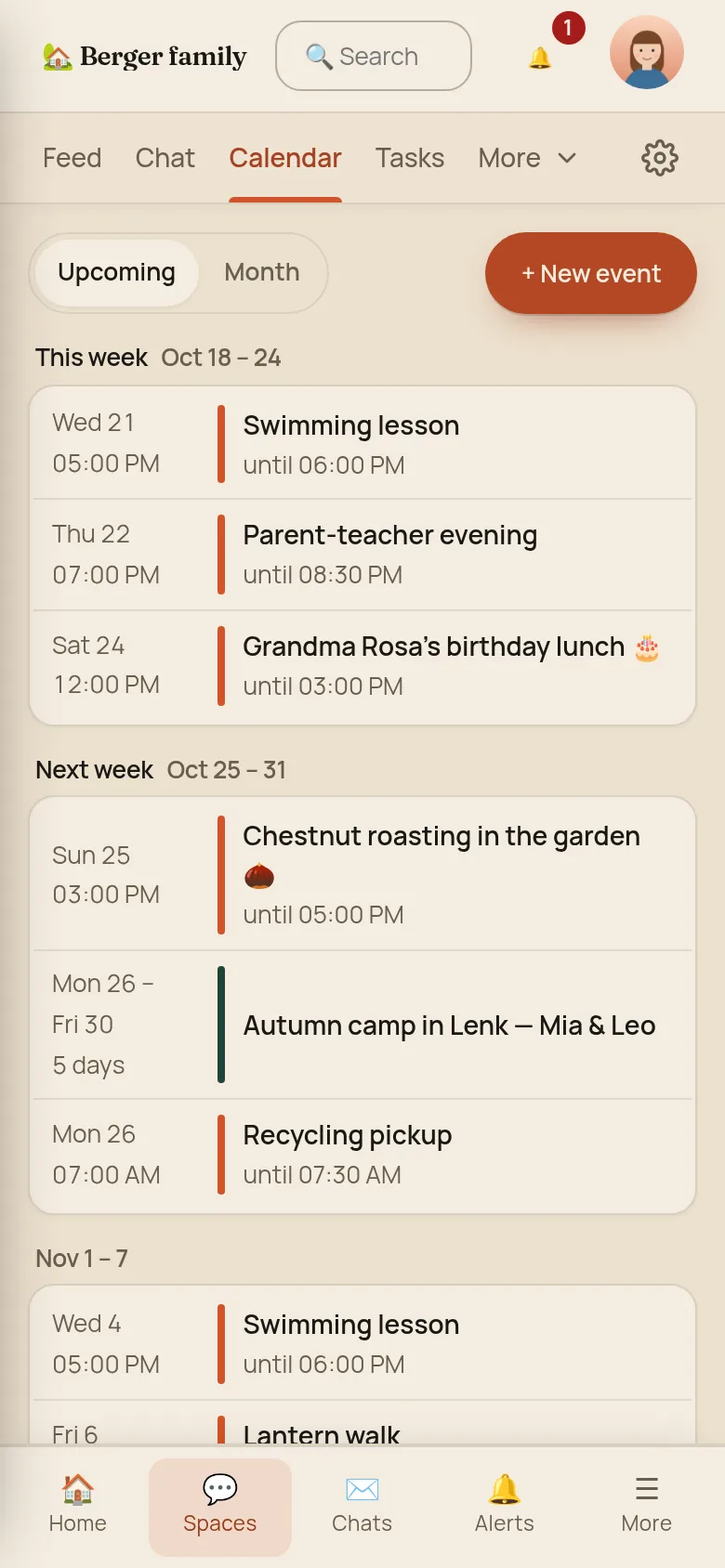
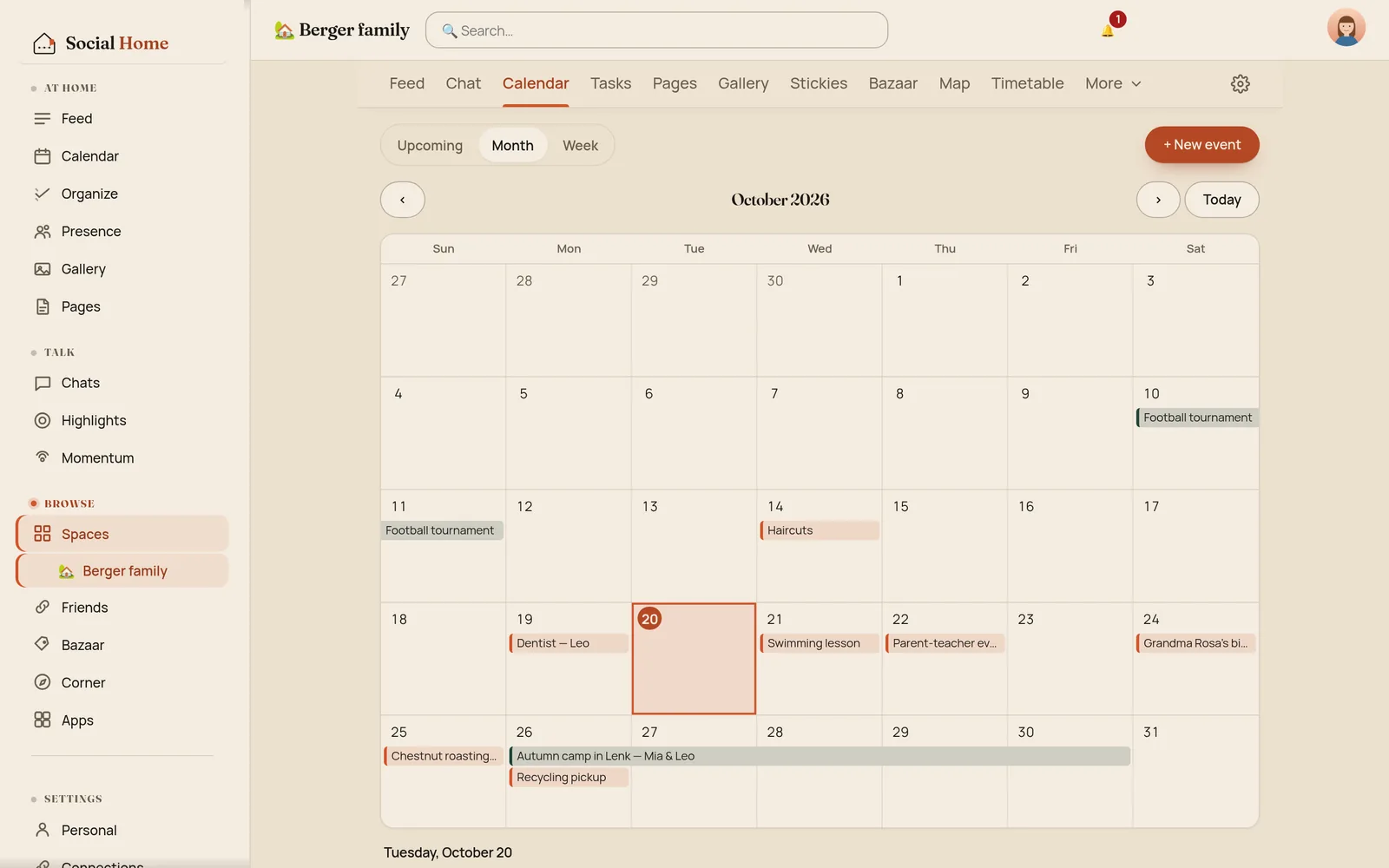
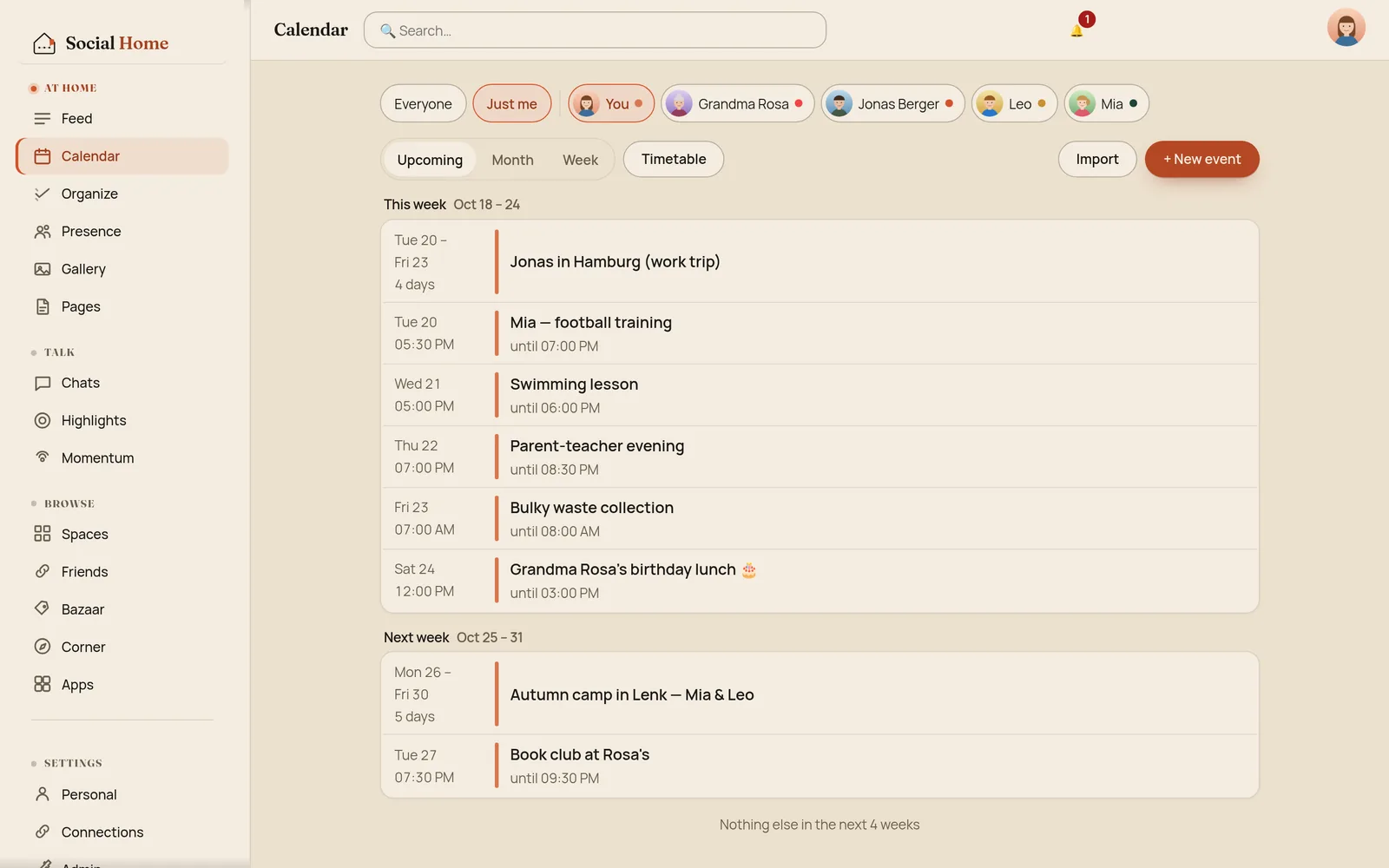
The household calendar got the same treatment: Upcoming, Month and Week, with the people chips and controls in one tidy row. And the wall dashboard now lists a trip over several days as one row too.
Settings on one page
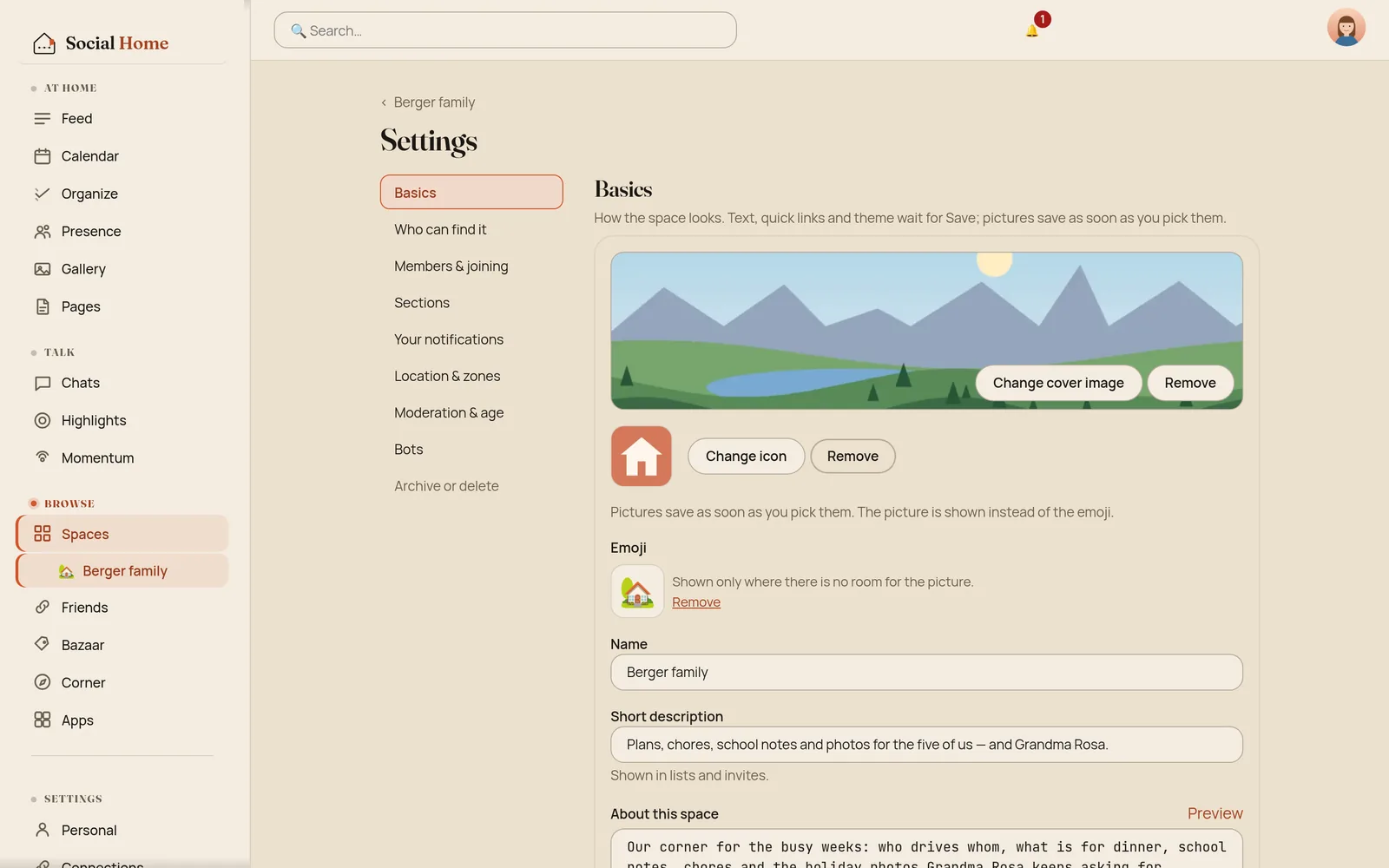
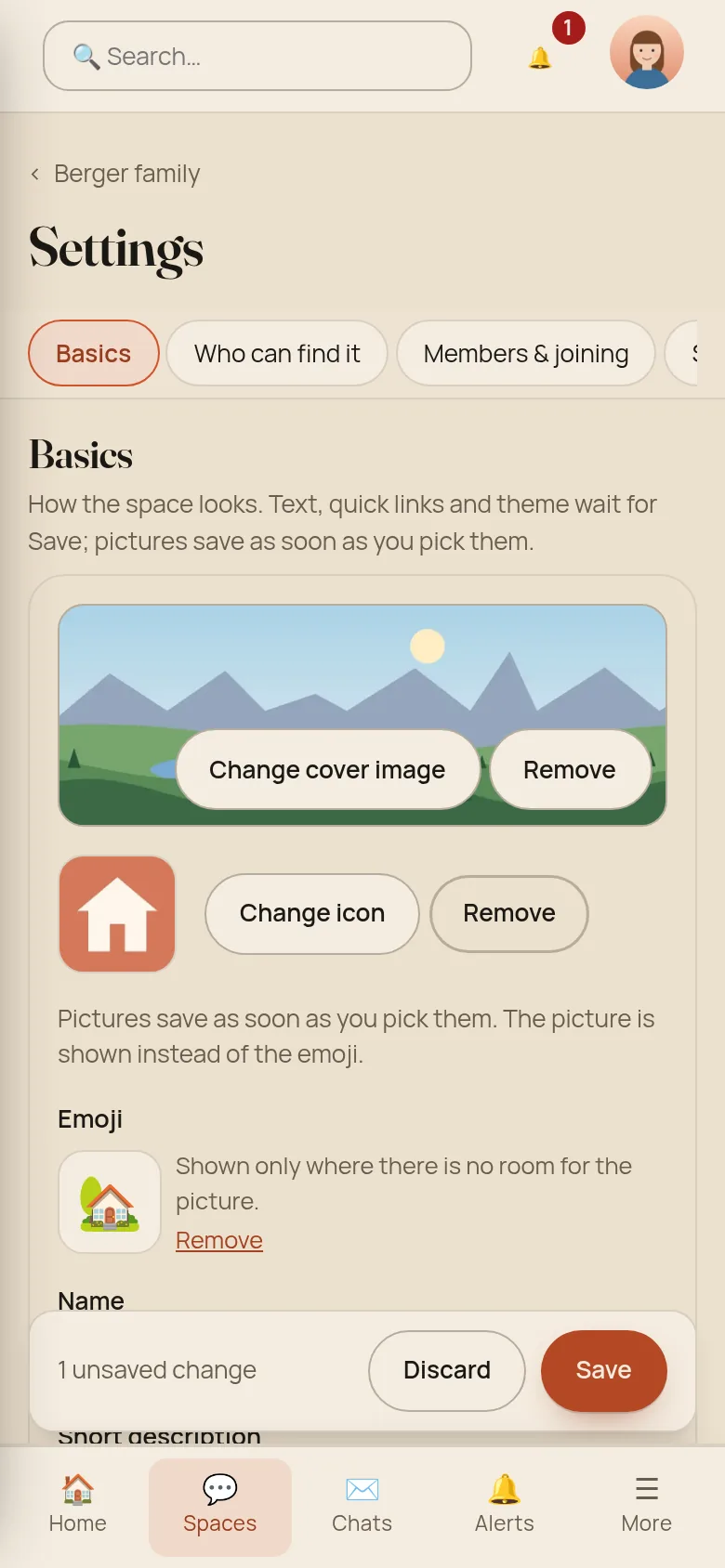
A space’s settings were spread over several tabs, and the General tab alone was about 4,800 pixels long with a single Save button near the bottom. Now everything is on one page, with a list of sections on the side (or chips on top, on a phone) to jump between them: Basics, Who can find it, Members & joining, Sections, Your notifications, Location & zones, Moderation & age, Bots, and Archive or delete.
Only Basics (the name, the description, About, quick links and the theme) waits for Save, and the save bar only appears once you’ve changed something. Everything else saves the moment you flip it.
An owner can now hand a space over to someone else in the household, and a household admin can give a space a new owner when its owner has left.
A new space asks what it’s for
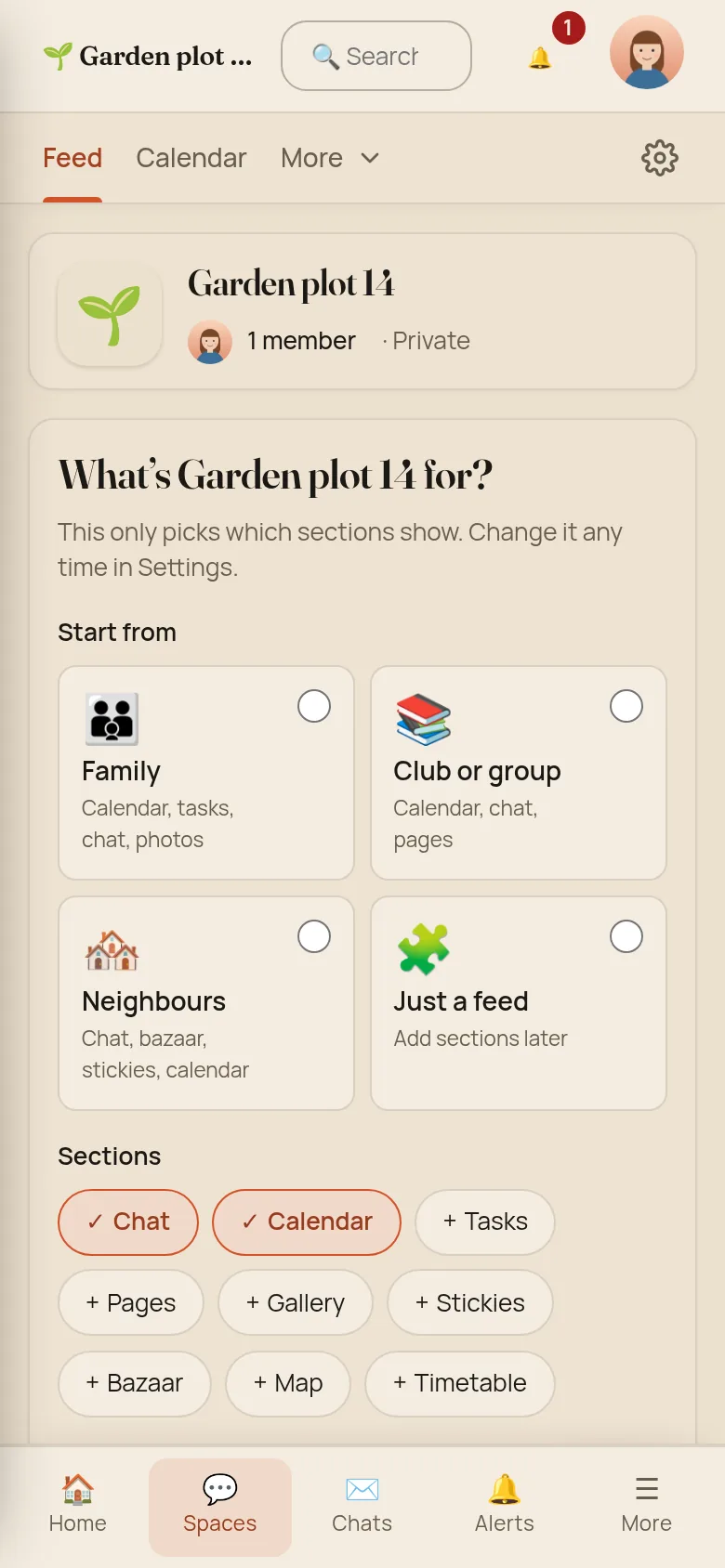
Create a space and you now land inside it, not back on the list. One card asks what it’s for: Family, Club or group, Neighbours, or Just a feed. Each choice switches on the matching sections, and you can flip any of them on or off yourself. Skip it and the space keeps the basics: Feed, Chat and Calendar. A one-person book club no longer starts with nine tabs.
Flat cards, everywhere
The tilted, taped paper look is gone from posts, in spaces and in the household feed alike. Cards are flat and calm, like the redesigned Friends page. The paper stays in one place where it is the point: the Stickies board.
Under the hood
The space sections are real routes (/spaces/{id}/calendar and so
on), marked as the current page, so keyboard users no longer tab past
23 stops to reach them. More keeps a fixed order and fills from the
end of the tab row. Spaces created through the API now also start with
Feed, Chat and Calendar only; add more with
PATCH /api/spaces/{id} and a features body. Existing spaces don’t
change. None of the redesign needed a database migration.
We checked every screen at 390 px wide: nothing scrolls sideways, and every control is at least 36 px tall. The lowest text contrast in the final design is 4.58 : 1, light or dark (WCAG AA asks for 4.5). Spaces read cleanly right to left, and “Skip to main content” jumps within the page again instead of going Home.
Local communities
Some groups only make sense for the people nearby: the street’s parents, the village’s food sharing, the swim crew at the local river bath. A public space can now be a local community. When you create it, or later in its settings, you pick a centre on the map, or use your home as the centre, and a radius from 1 to 25 km. From then on, only households whose home is inside that circle can join.
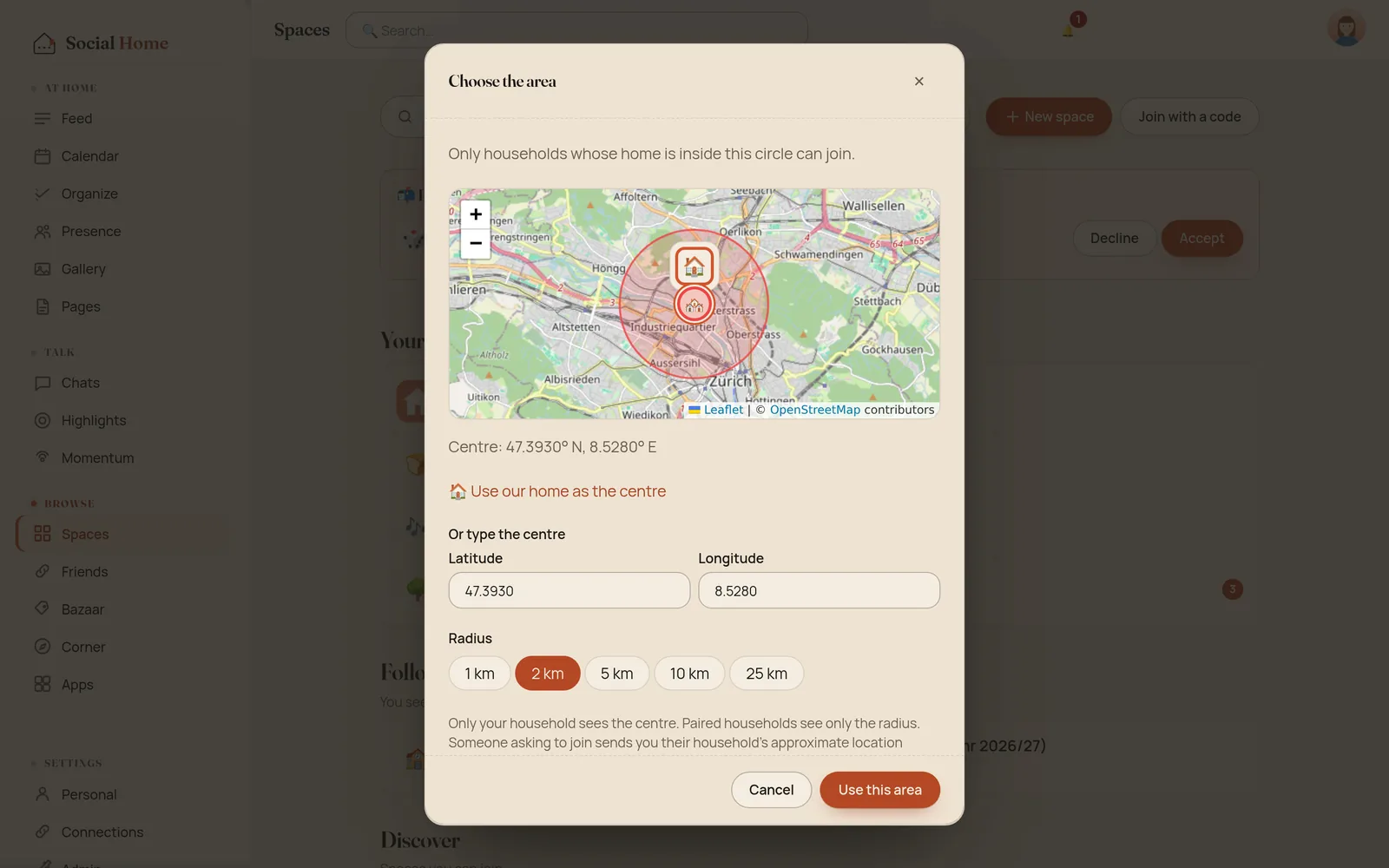
The centre stays with you. It is usually someone’s street, so it never leaves your home. Paired households see only that the space is a local community and its radius, “within 2 km”. Local communities are public spaces, so they are never listed on a GFS (Global Federation Server).
Your own household sees the map, and Discover tells you up front whether your home is in a community’s area, near the edge, or outside.
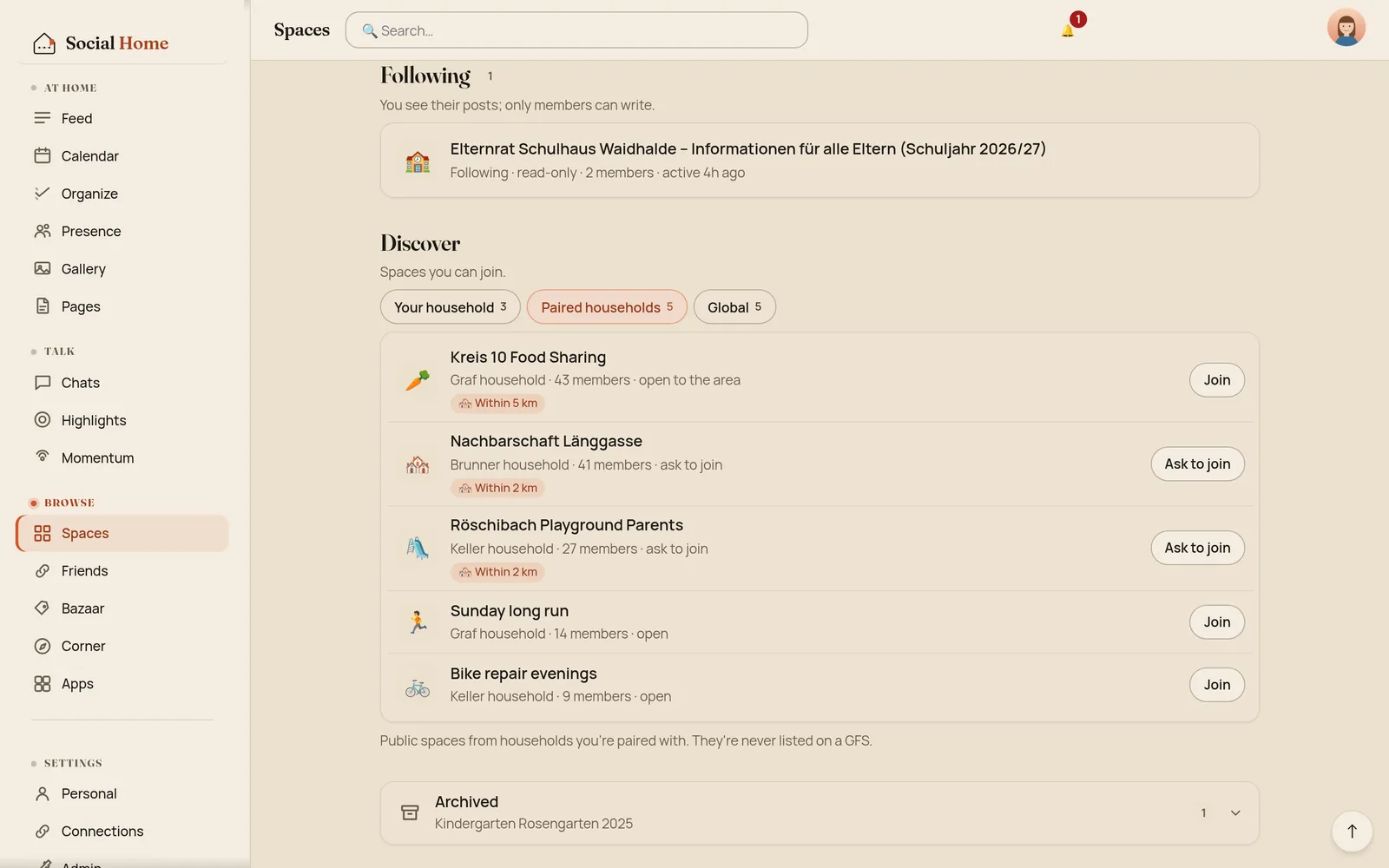
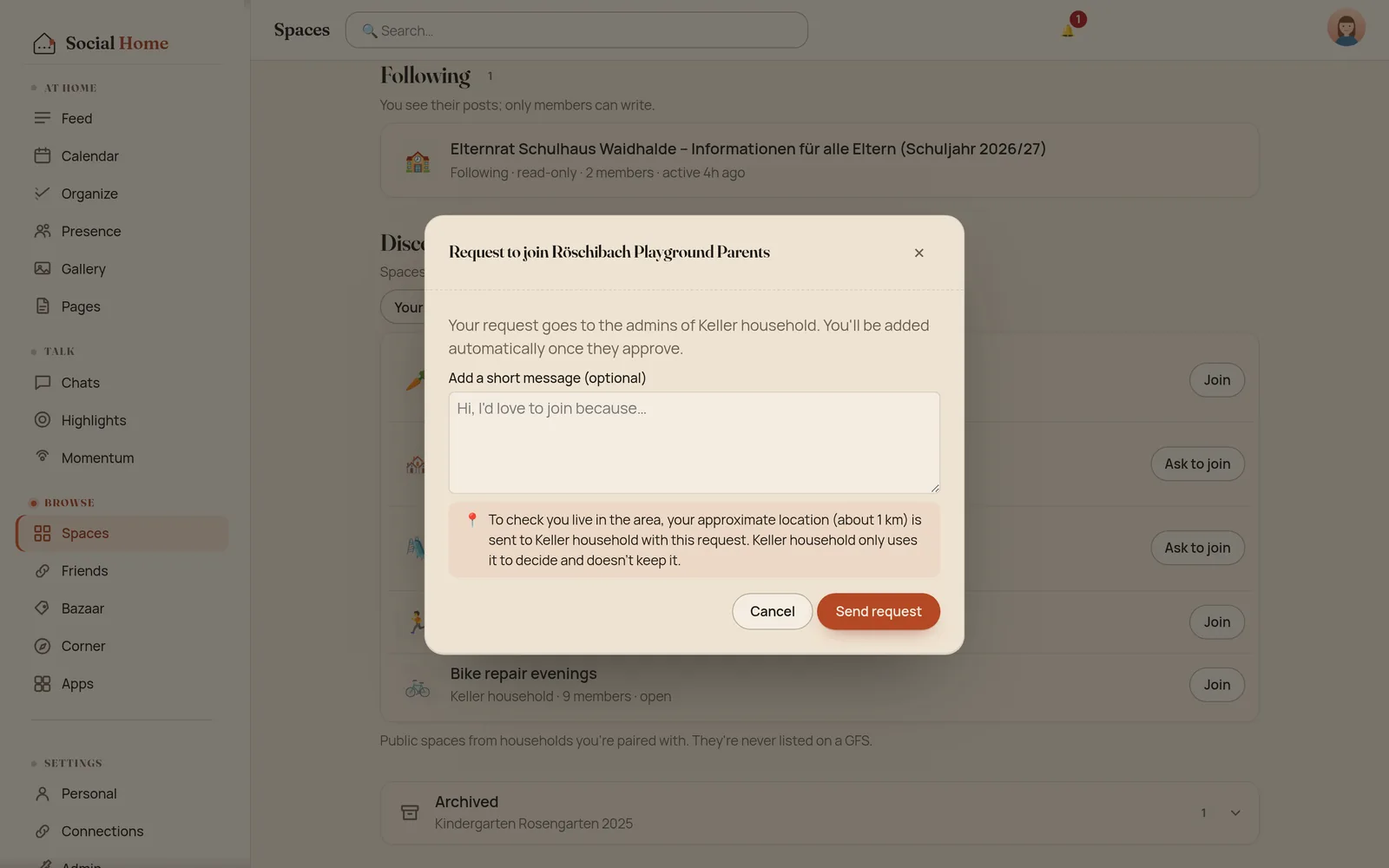
Asked before anything is sent. To join another household’s local community, your home has to show it lives in the area. Before your request goes out, Social Home says exactly what will be sent: your home’s approximate location, to about 1 km, to that one household only. They use it to decide and don’t keep it. Say no, and nothing is sent.
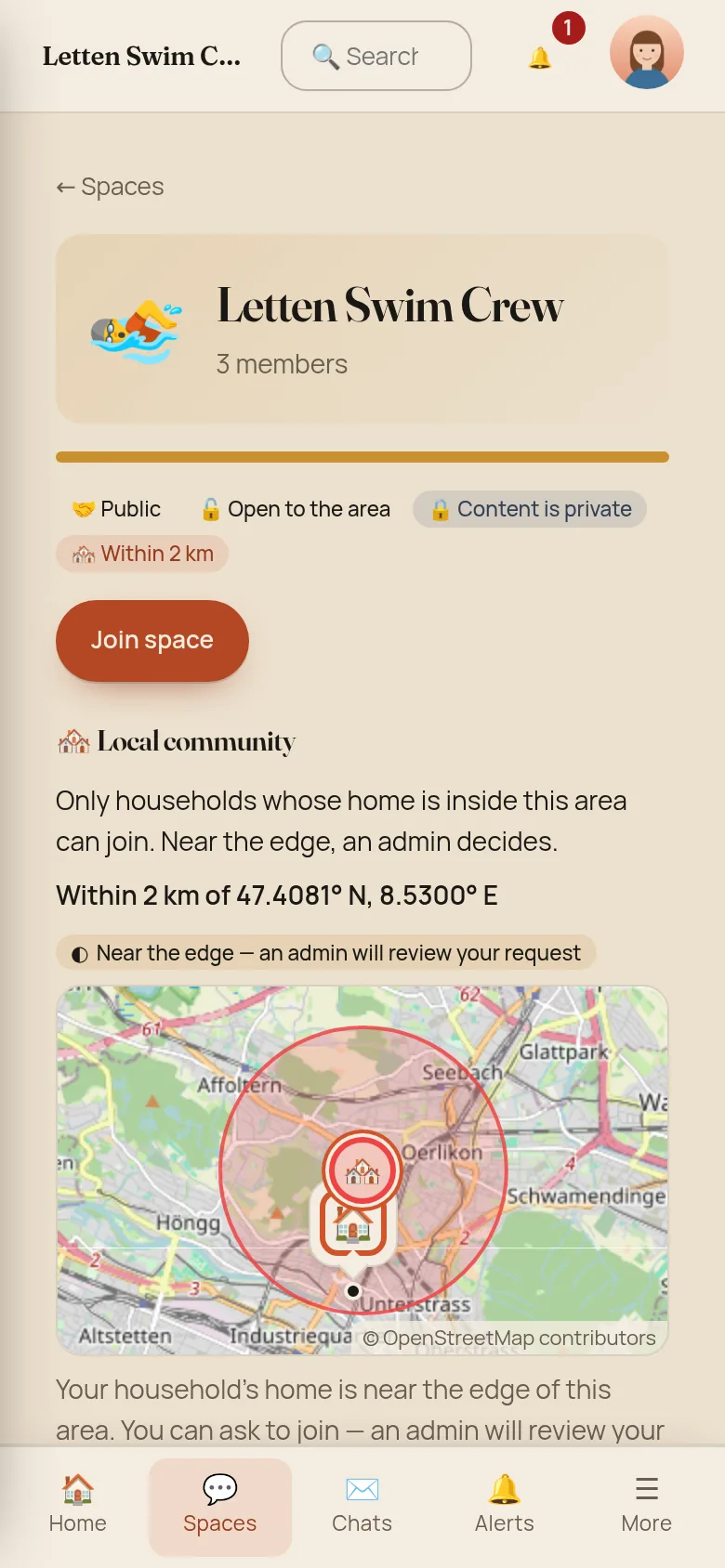
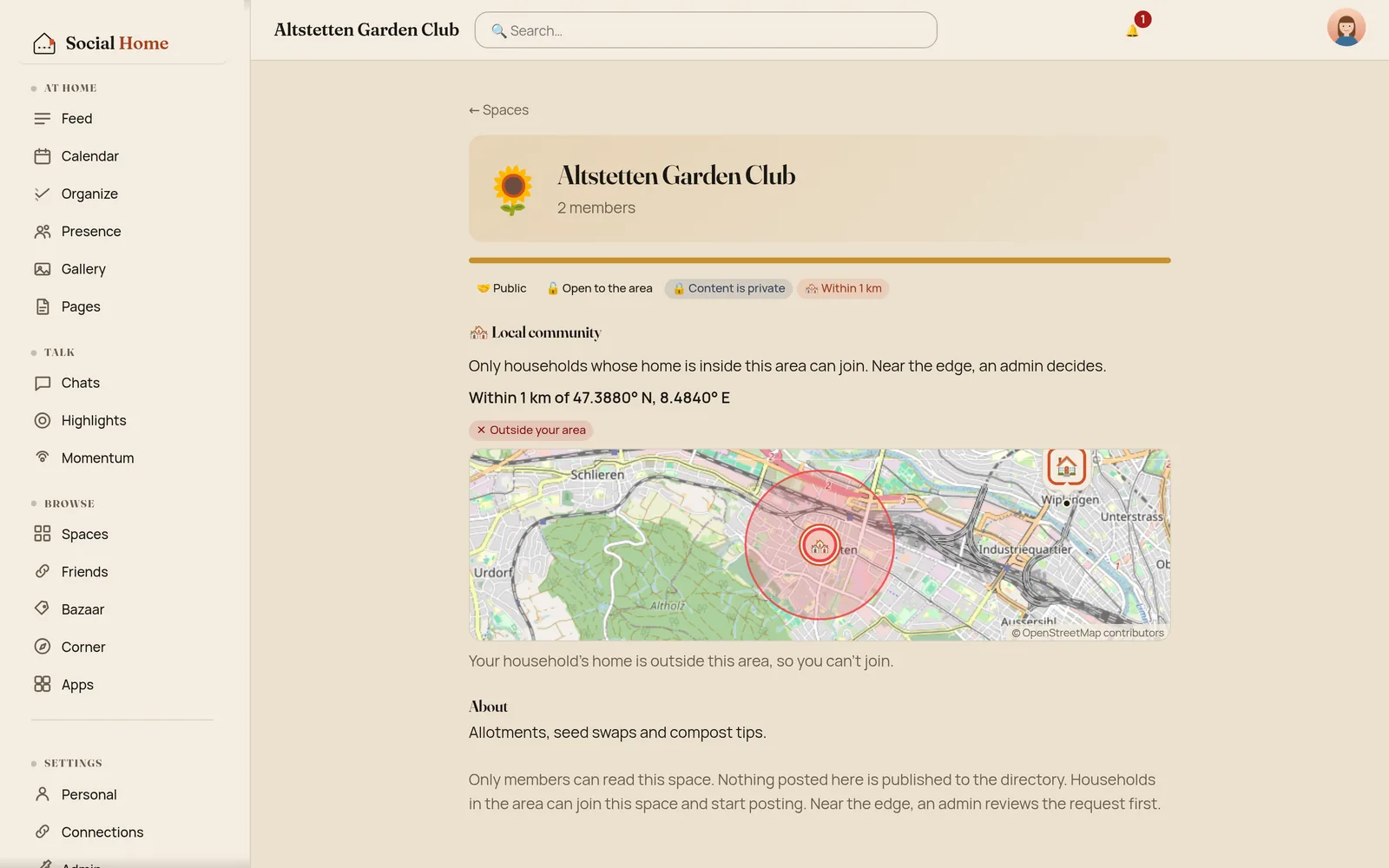
Clearly inside, and you’re in (or your request goes to the admins, if the space asks for one). Clearly outside, and the space says why there’s no Join button. Near the edge, nothing is decided automatically: your request goes to an admin, who sees “Near the edge” and decides. People who are already members stay members if the area later moves or shrinks.
Your household’s home location comes from Home Assistant. If you run Social Home on its own, an admin can now set it under Admin › Settings.
Under the hood
The area is a centre stored to 4 decimal places (about 11 m) and a
radius of 0.5–50 km, kept only on the hosting household. It is not
part of the space’s config that member households receive. Paired
households get local_community and radius_km in the directory
snapshot, and nothing else. A space can only be a local community on
the public scope; leaving it drops the area.
A join from another household carries join_location: your home
rounded to 2 decimal places (about 1.1 km), added only when you
said yes. It travels inside the join’s own sealed message, encrypted
home to home, so relays and the GFS can’t read it. The host rounds it
again on arrival, and never stores, logs or forwards it. The host
decides for the whole ~1 km cell: every corner inside means inside;
the nearest point beyond the rim means outside; a cell that straddles
the rim always becomes a join request for the admins, even in an open
space. The only trace kept is the verdict on a pending request.
What remains: an automatic answer tells the person asking which ~1 km
cell is inside or outside, so someone patient could map the rim at
that resolution. To limit retries, each person gets 10 checks per
community per UTC day, and each other household 20, counted in a
table that survives restarts and stores people only as a hash. Local
communities can’t use delegated admin authority, so every seat passes
the host’s check. The full rules are in the core repo’s
docs/protocol/local-communities.md.
Global spaces, nearest first
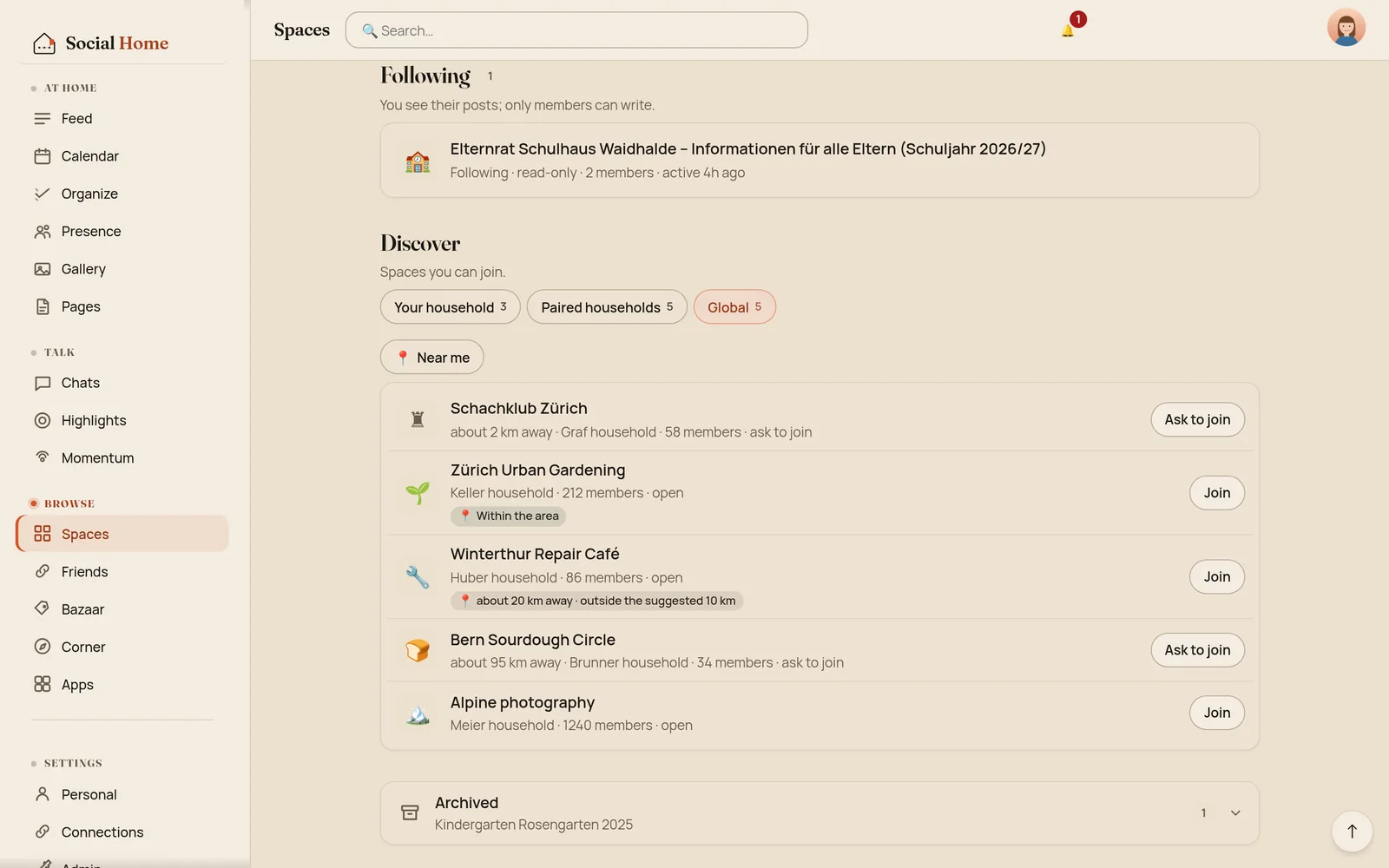
A global space is for anyone, on the GFSs its owner picks. Its owner can now pin it to a place, like a chess club in Zürich, and optionally add a hint like “best for people within 10 km”. In Discover › Global, pinned spaces are sorted by distance from your home, and Near me keeps only the ones whose suggested area you’re in.
The pin is only for sorting. Nobody checks where you live when you join a global space; its About page just reminds you that you’re expected to follow the space’s rules. The distances are worked out in your own browser, and your home is never sent anywhere for it.
Under the hood
The pin (place: {lat, lon, radius_km?}, 4 decimal places) is part of
the global listing, so it is visible to everyone who can find the
space, including the GFS that lists it. The app says so where you set
it, and it is never pre-filled from your home. It is covered by the
owner’s Ed25519 signature on the listing, so a GFS can’t add, move or
strip it. Distance labels are rounded: under 1 km, the nearest km up
to 10, the nearest 5 km above.
Tighter walls
The review also turned up problems that weren’t about looks, and we fixed those first. The most serious: someone in your household who was never invited could read a private space’s posts and member list. That’s fixed, along with 19 related gaps found in two security reviews that followed:
- Asking about a space you can’t see gets the same answer whether it exists or not.
- People banned from a space can no longer read it.
- Followers see a shorter member list: no online status, no locations, no admins’ proposals, and not who else follows.
- Bazaar listings and gallery albums stay inside their space, and search no longer counts matches in spaces you’re not in.
- Pairing never sends your home location when you’ve switched sharing off.
Try it
The new Spaces are in Social Home 2026.10.20. Open Spaces, see what’s new in your own, and if you live near your paired households, try making the street’s group a local community.