Blog The Social Home team
Timetables: the school week, on your household's home screen
A timetable for every child, holiday weeks that switch themselves off, this-week changes that reach the Today card, and one class timetable shared by every household in the class.
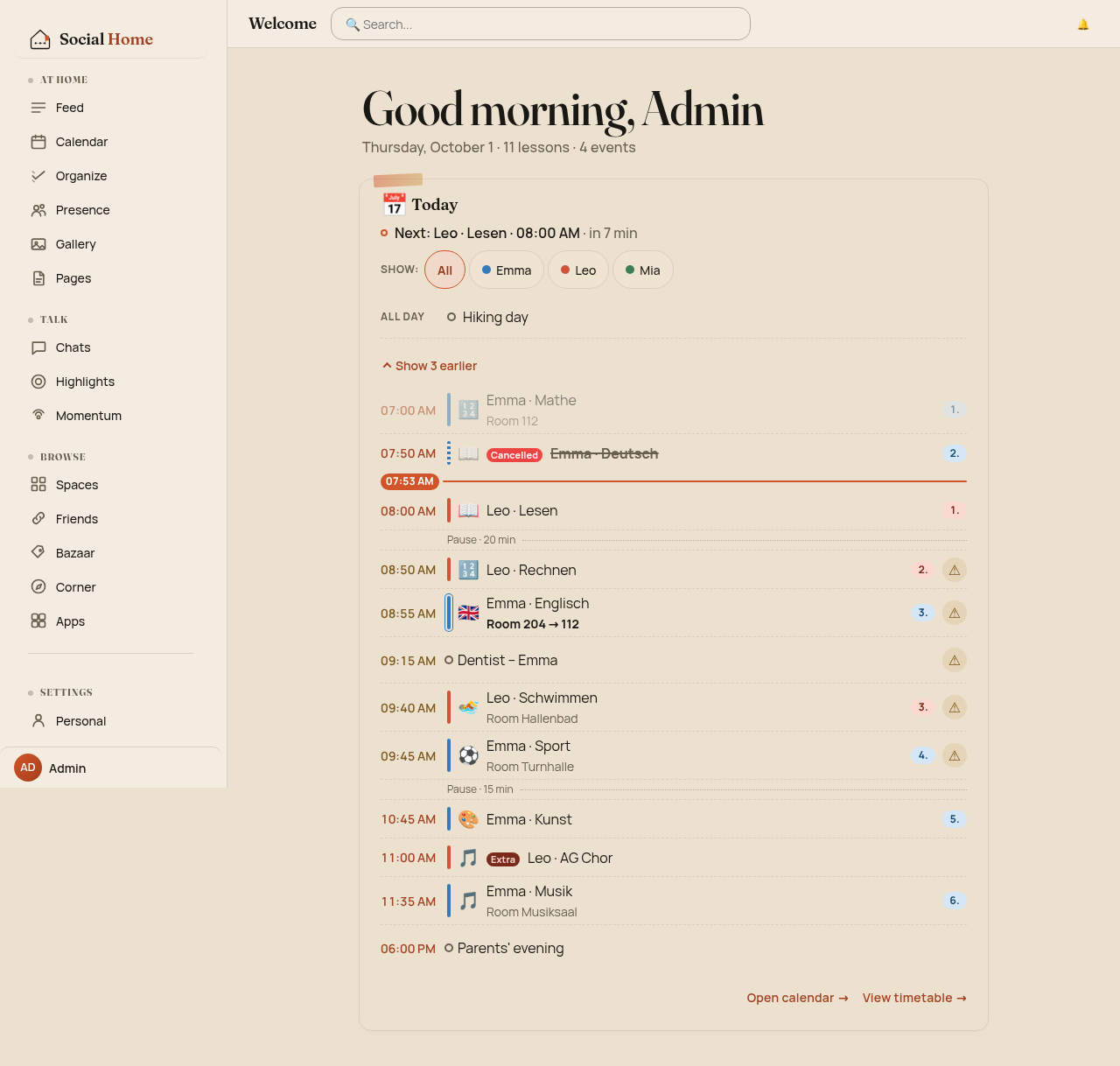
It’s 07:53 on a Thursday. Emma’s first lesson was cancelled, Leo’s reading starts at daycare in seven minutes, the dentist is at 09:15, and somewhere in the house the swimming bag still needs to be found. A paper timetable on the fridge only covers half of that.
Timetables in Social Home cover the rest. Each child gets a weekly plan that knows about school holidays and about this week’s changes. Today’s lessons are merged with the household calendar on your home screen. And when a class-parents space keeps the timetable, every household in the class sees the same plan, from its own server.
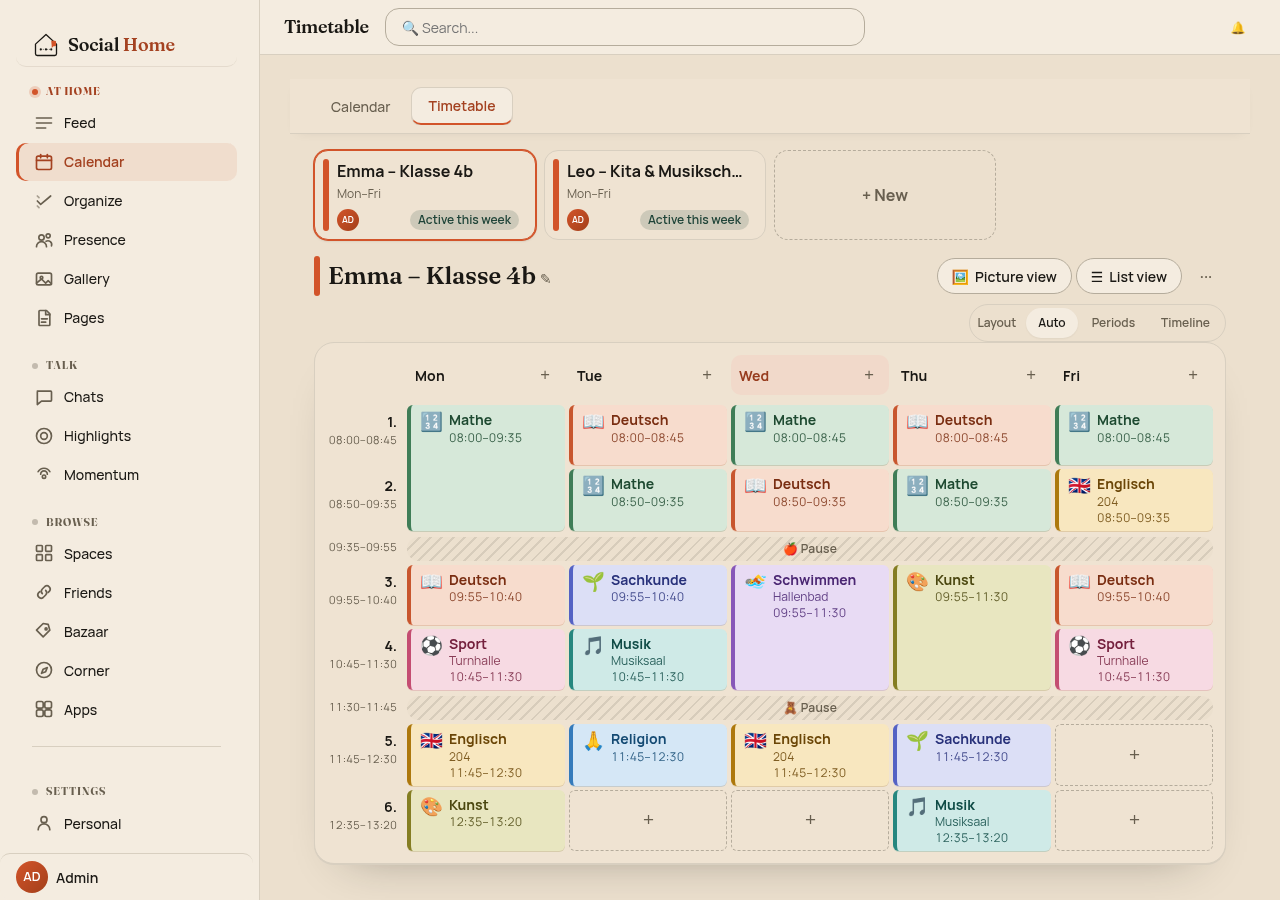
All screens below show sample data: three fictional children, Emma (class 4b), Leo (daycare and music school) and Mia. The sample timetable was entered with German subject names. The app itself follows your language setting.
Three ways to read a week
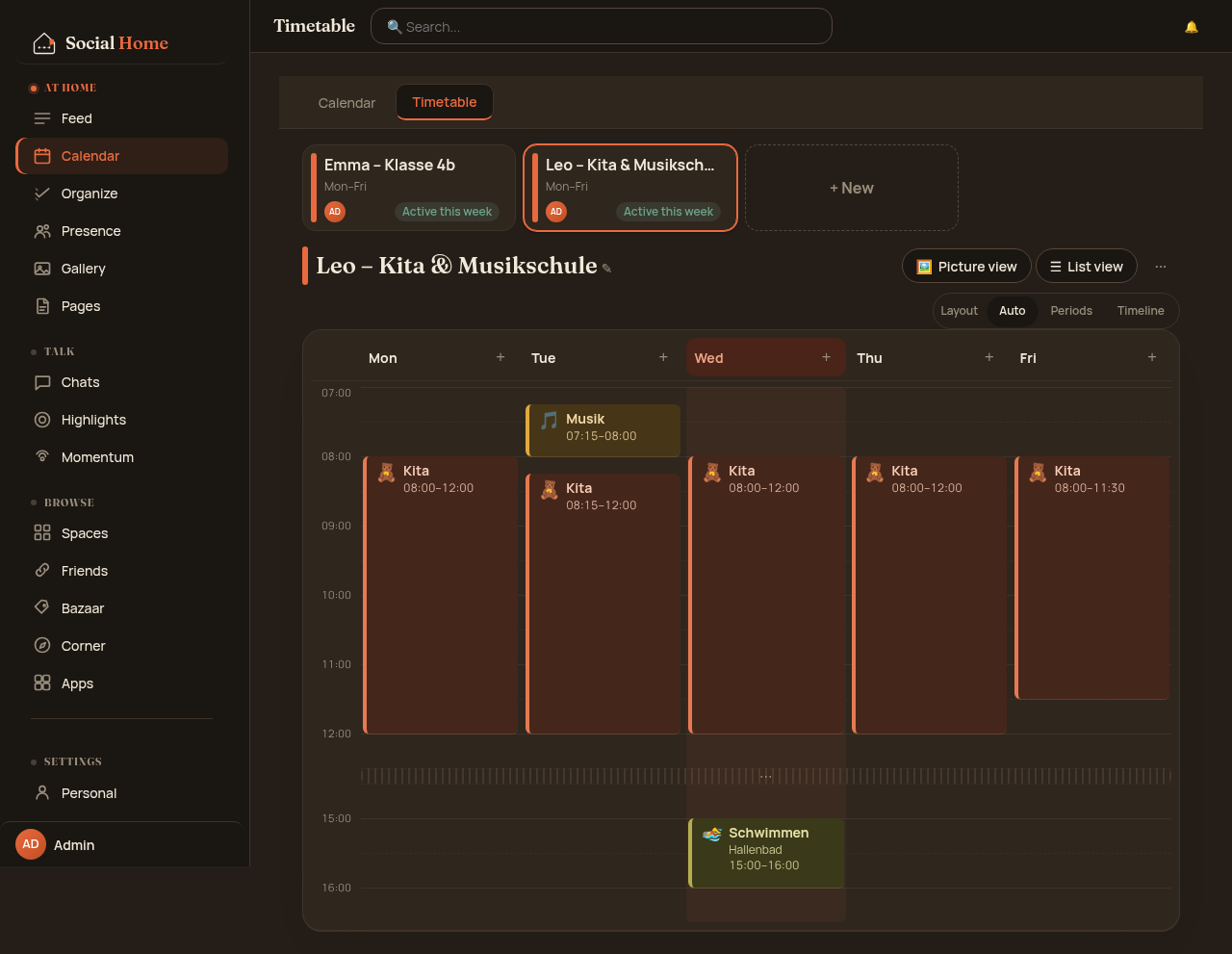
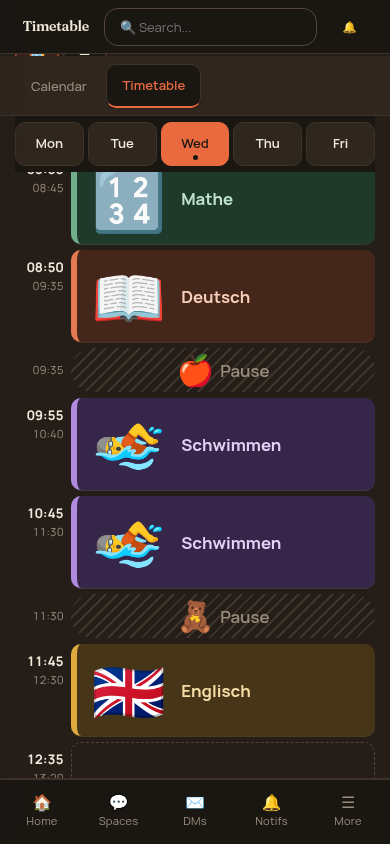
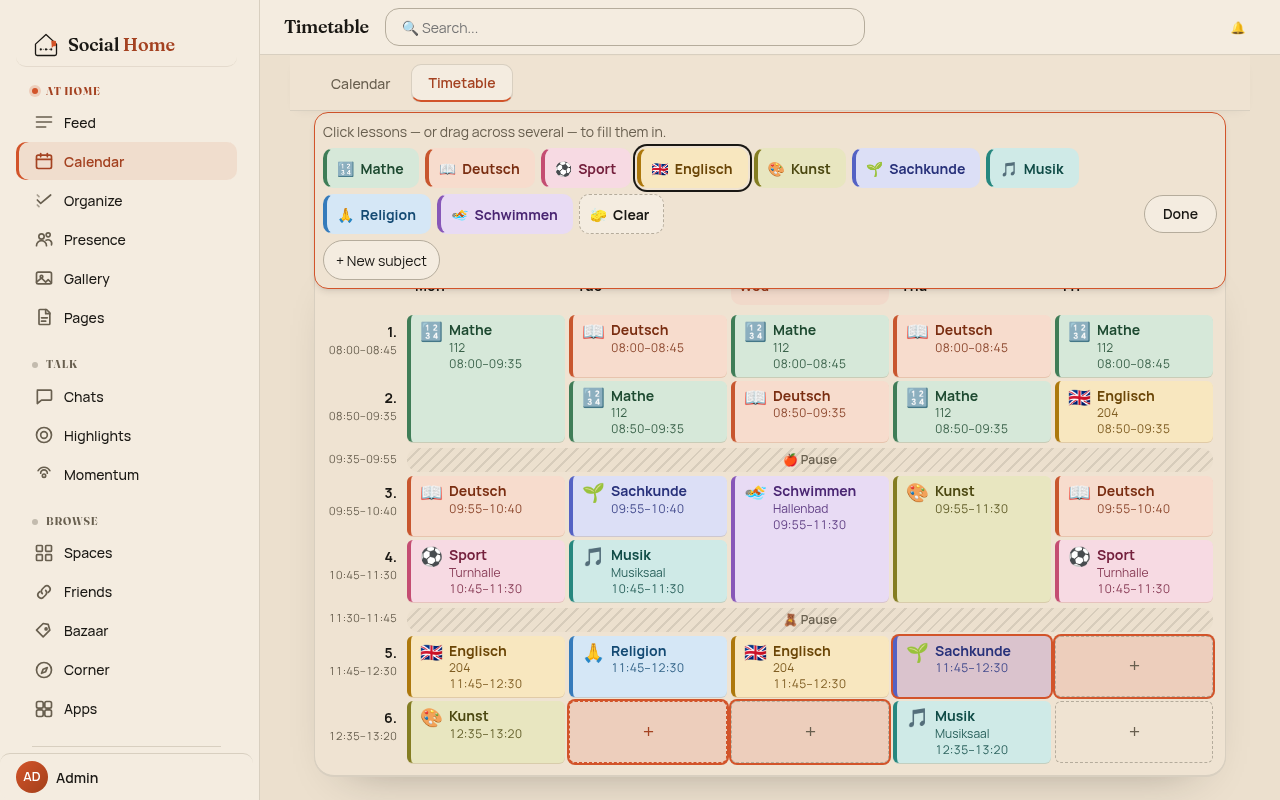
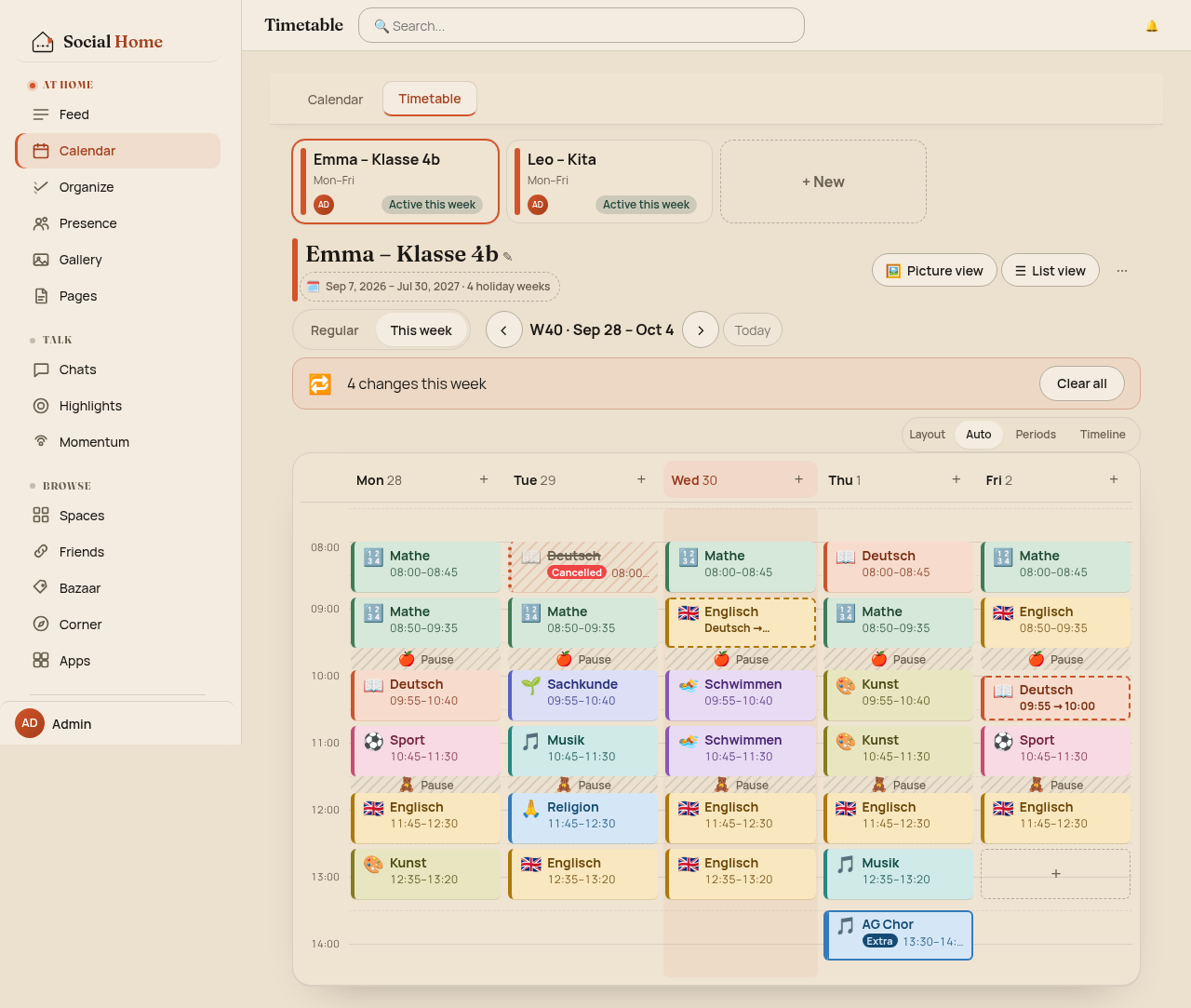
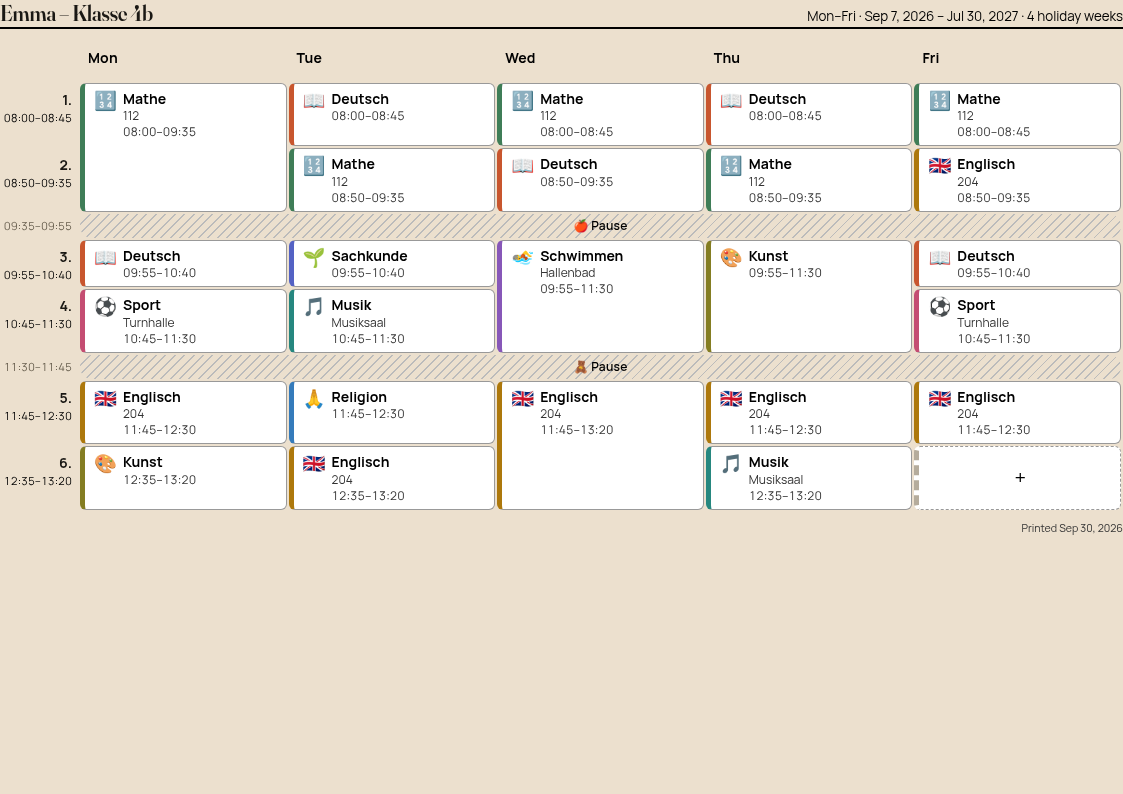
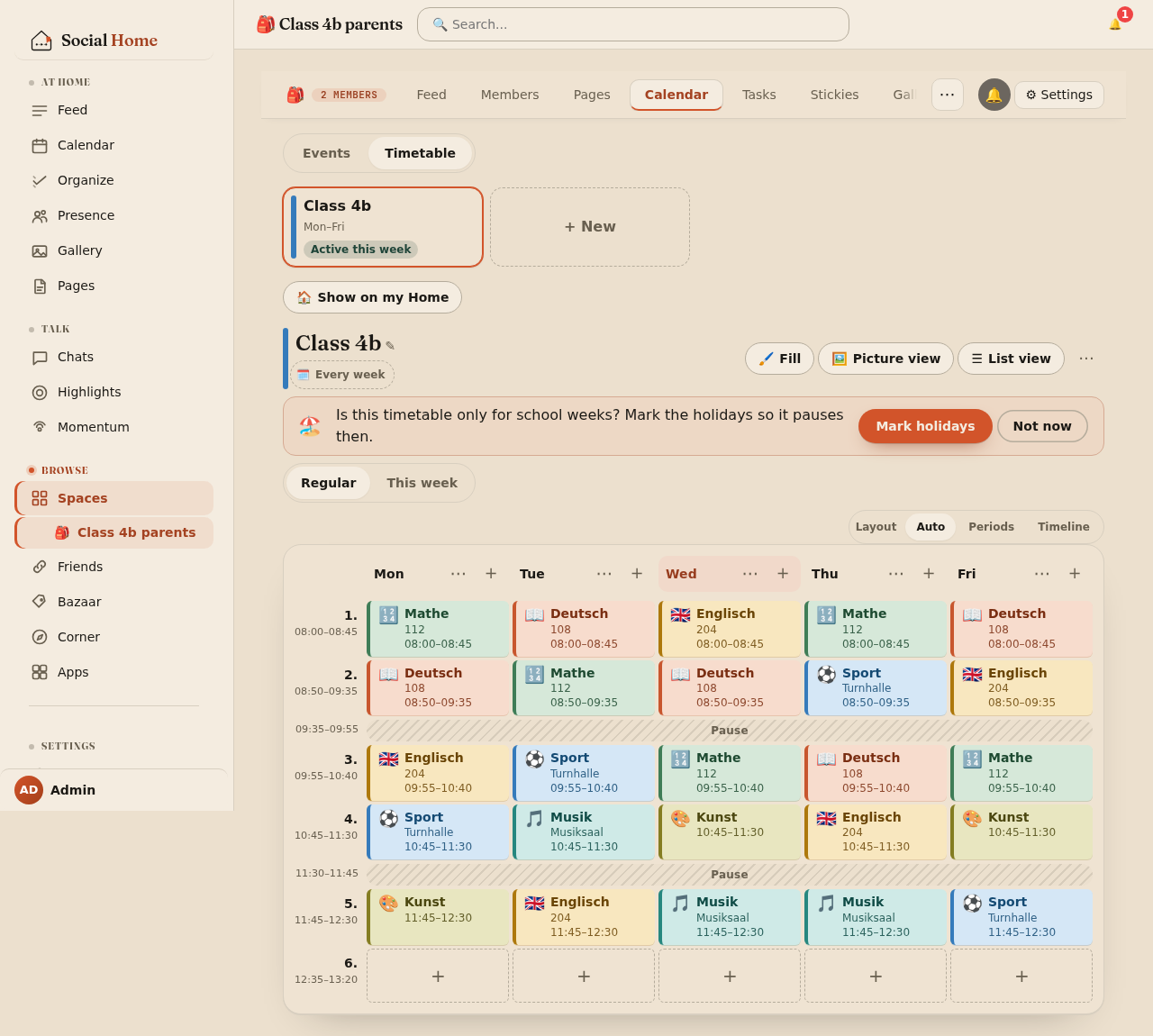
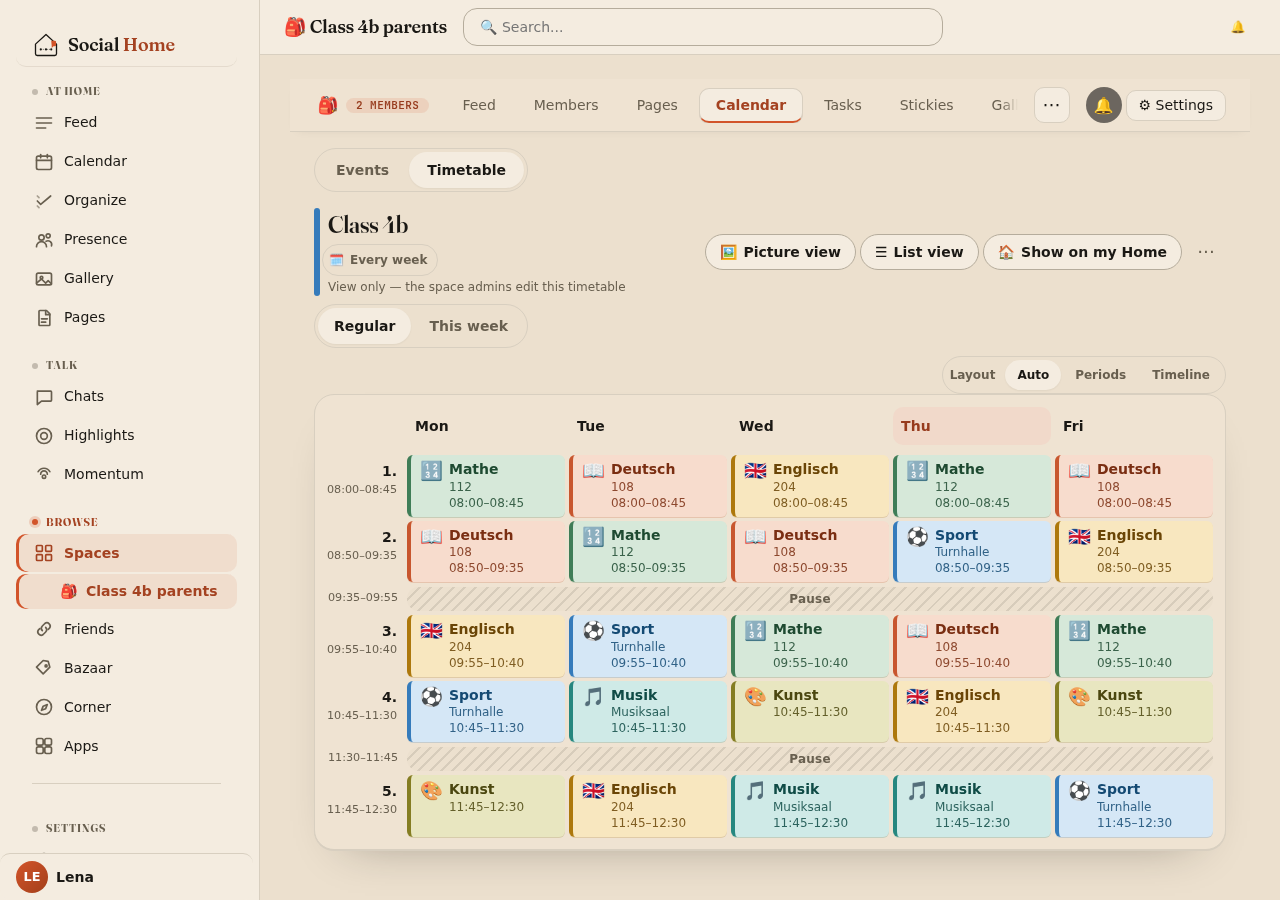
Find it under Calendar › Timetable. The grid picks its layout for you. When every day shares the same slot times, you get the classic periods layout: numbered rows, a colour per subject, and double lessons merged into one block. When days differ (an early music lesson on Tuesday, a long swimming block on Wednesday), it switches to a timeline where block height follows the clock. Empty stretches are compressed, so the afternoon doesn’t eat the screen.
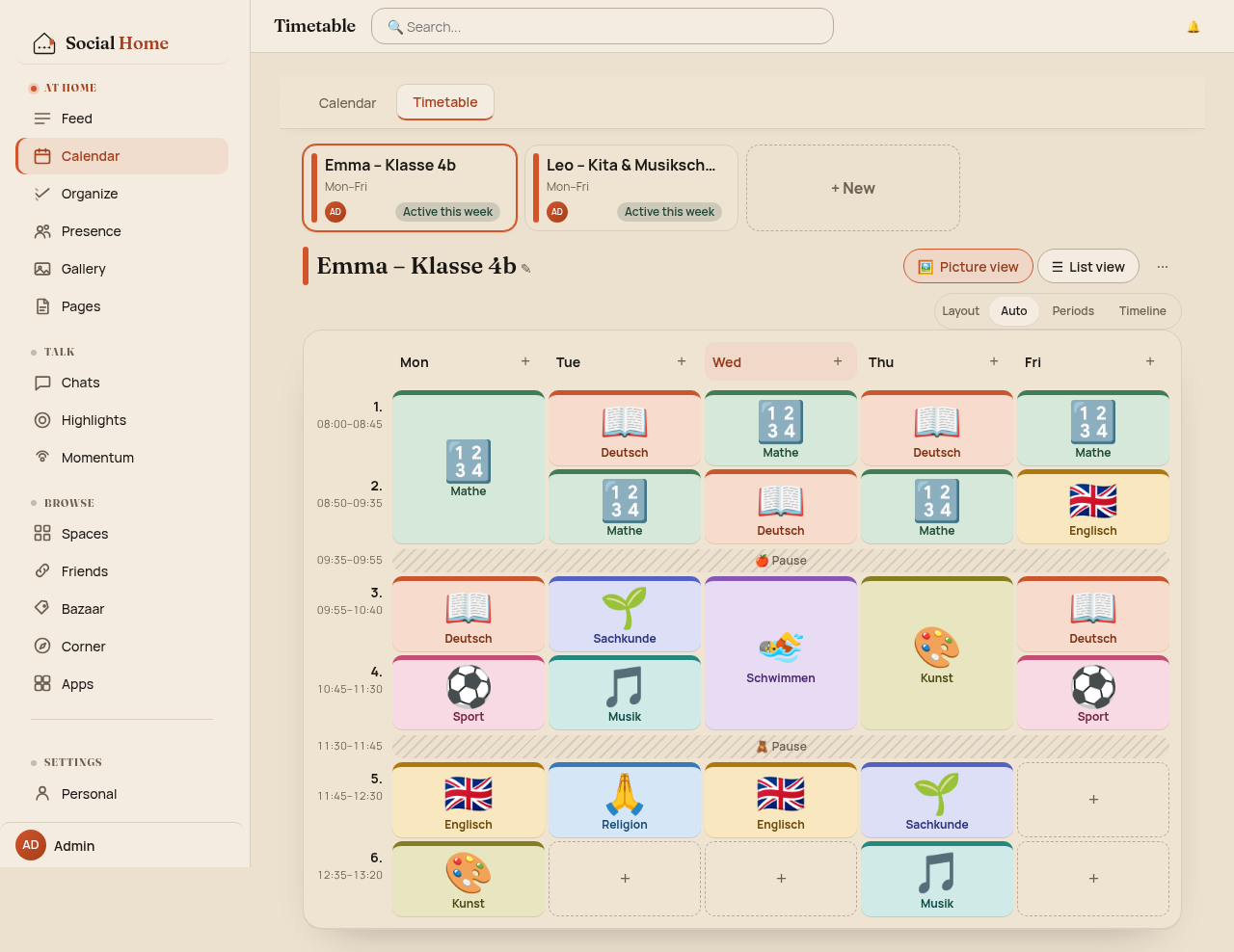
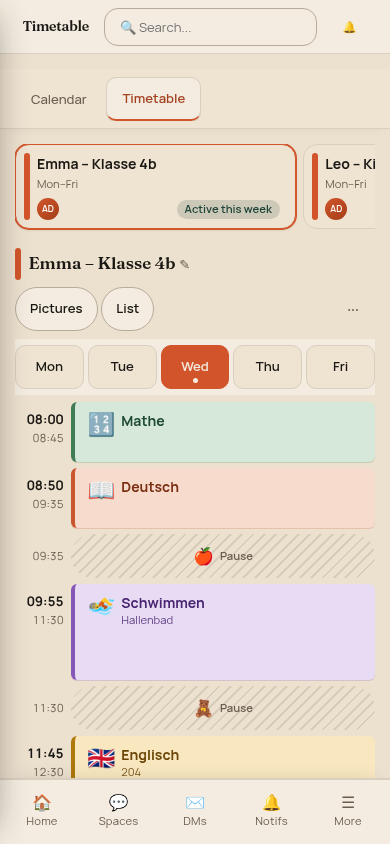
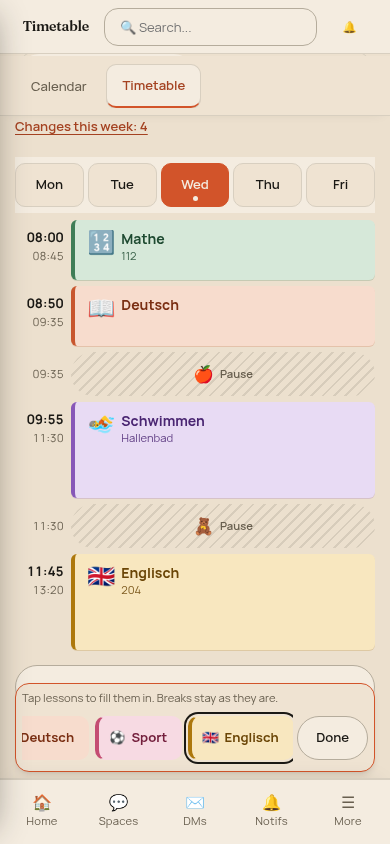
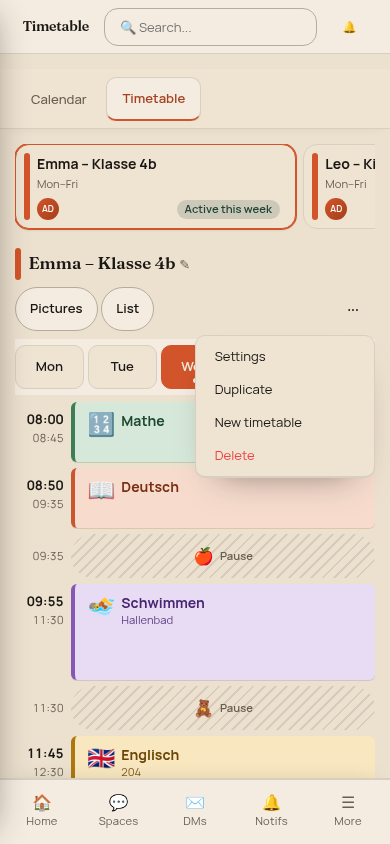
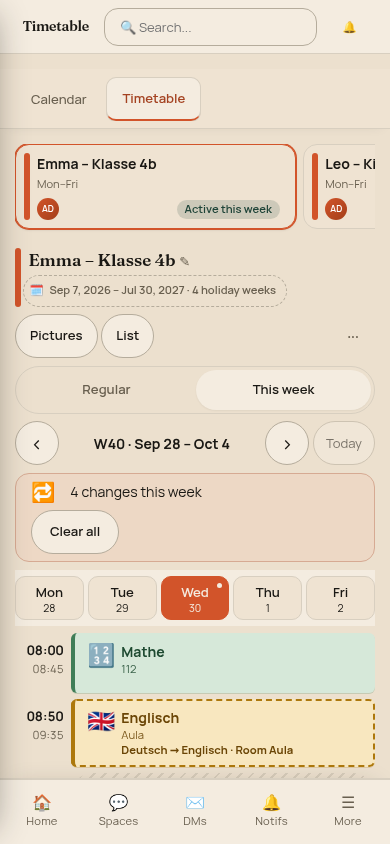
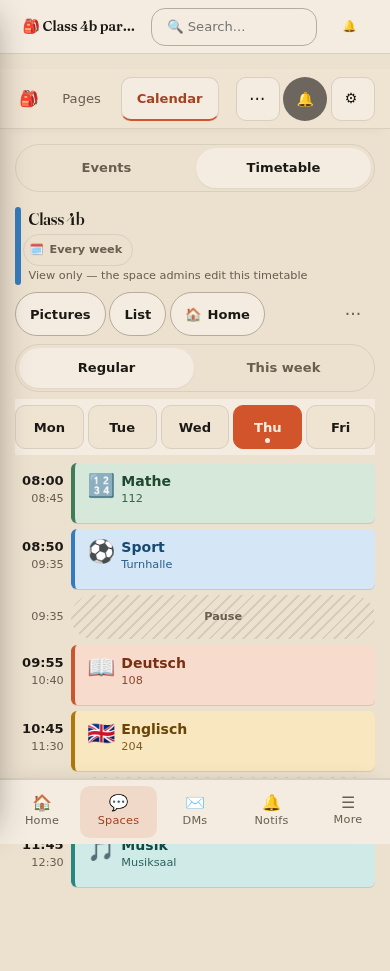
For kids who can’t read yet there is a picture view: big icons with a small caption, good for a tablet on the kitchen wall. On a phone the week becomes a day view with chips to switch days.
Setting it up in minutes
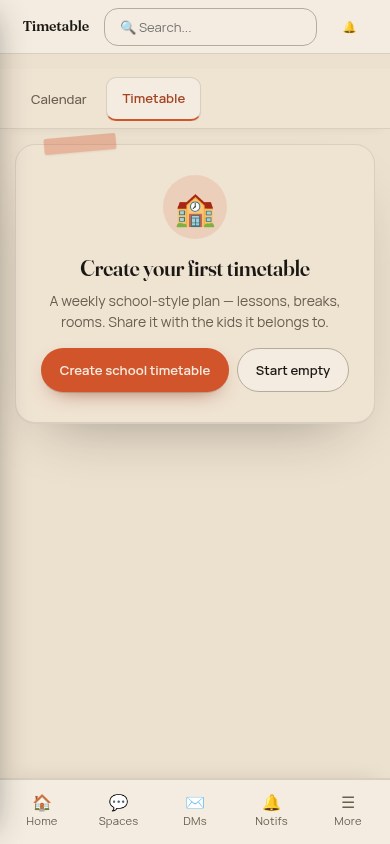
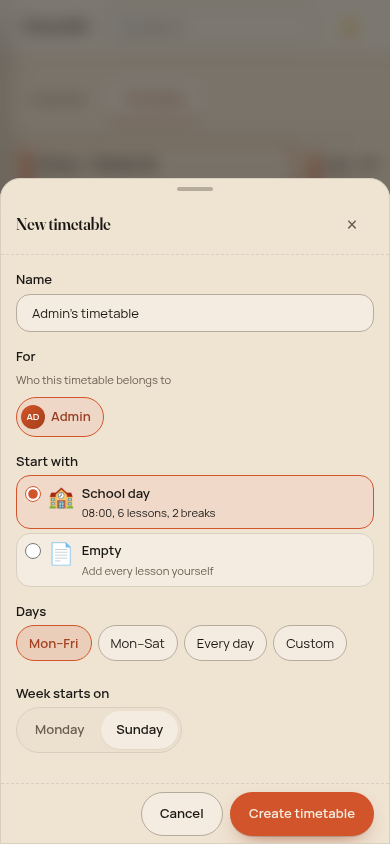
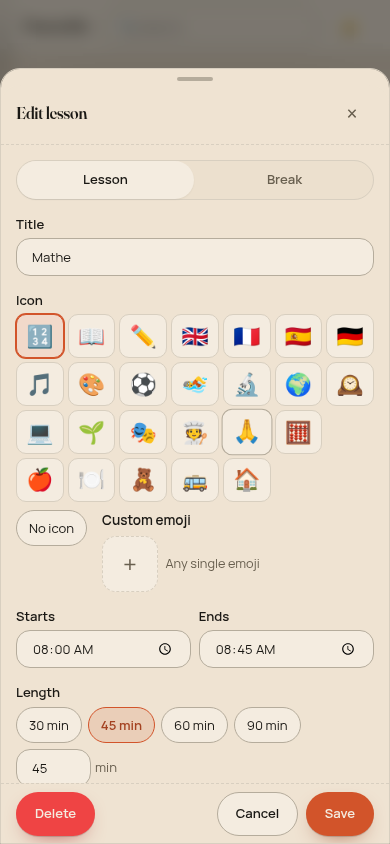
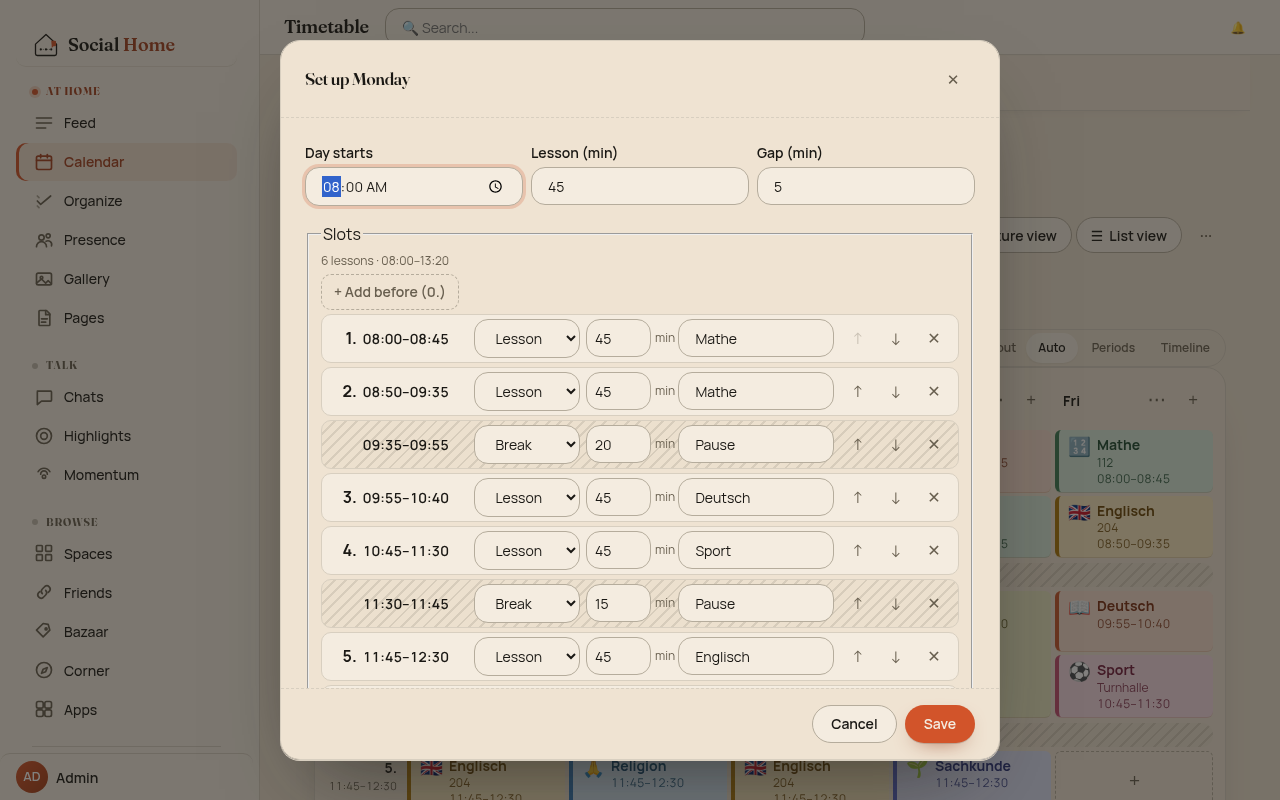
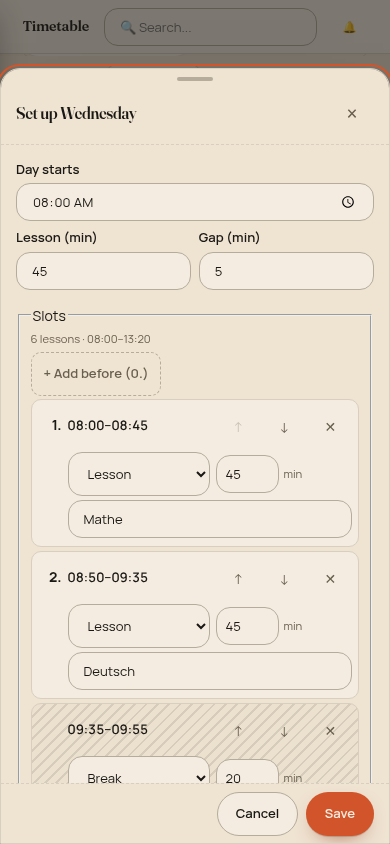
Nobody wants to type thirty lessons into thirty dialogs. A new timetable starts from a school day template. The day builder then asks three questions (when does the first lesson start, how long is a lesson, how long are the gaps) and works out every time from there. Insert an early lesson with “+ Add before” and the rest of the day moves to match.
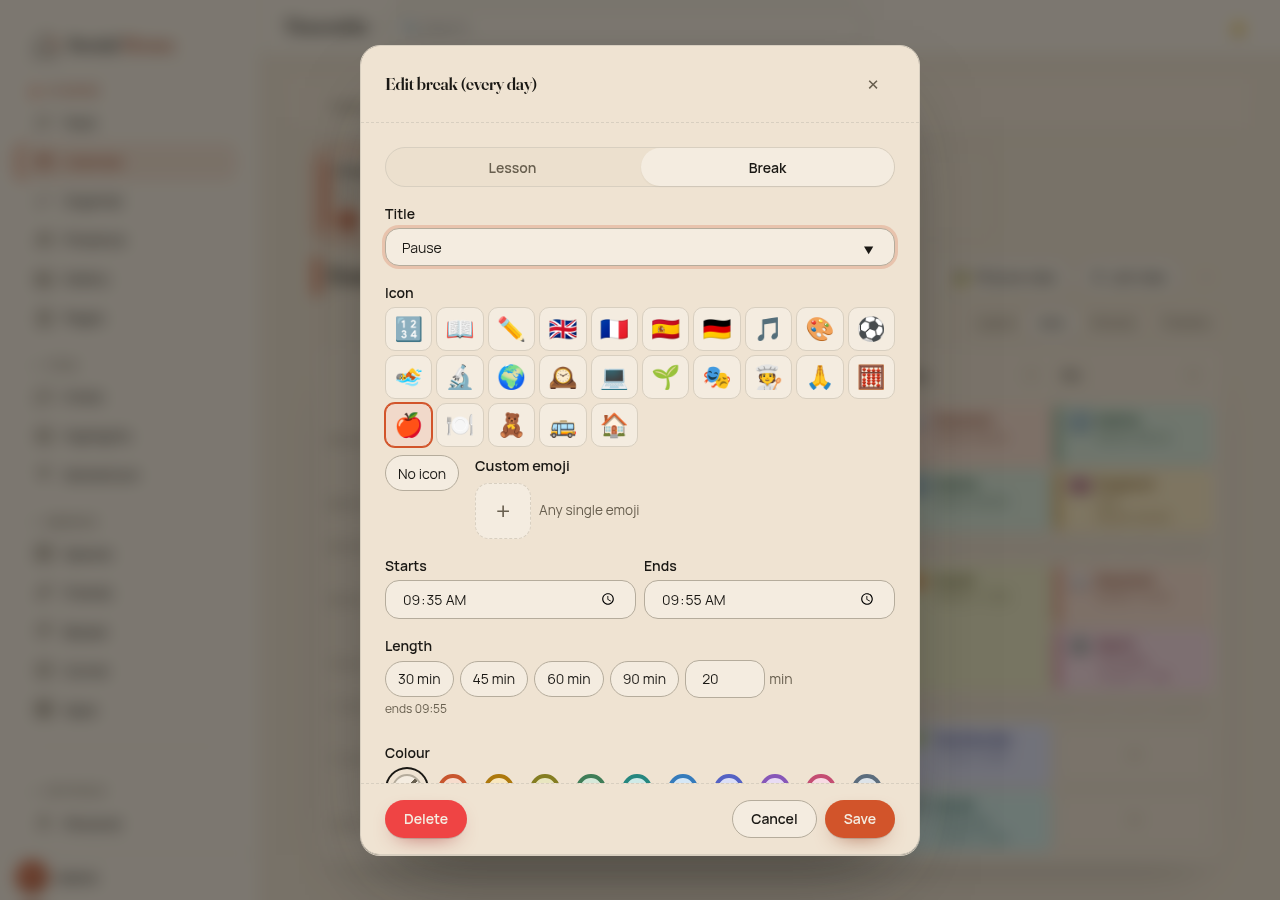
Then switch on brush mode: pick a subject and click or drag across the slots it covers. A break band applies to every day, so you fix the 09:35 break once, not five times.
School weeks and holidays
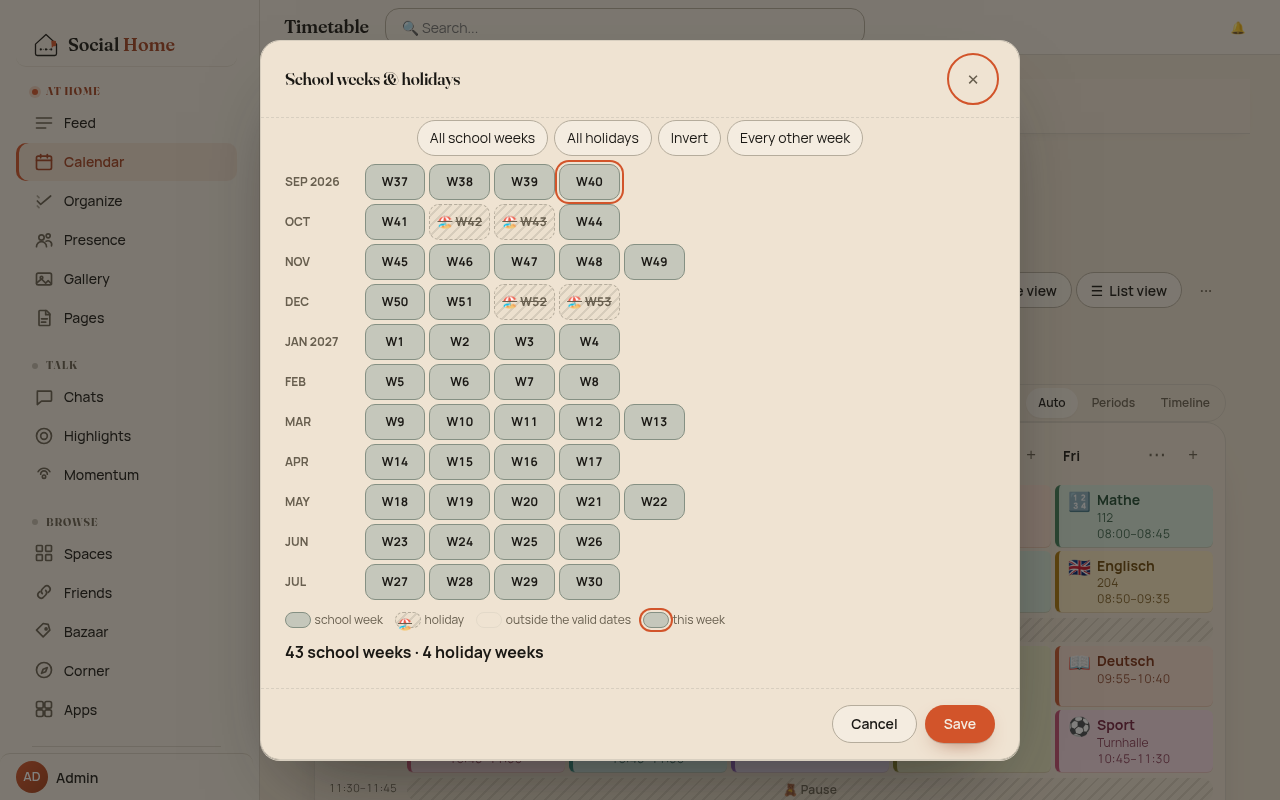
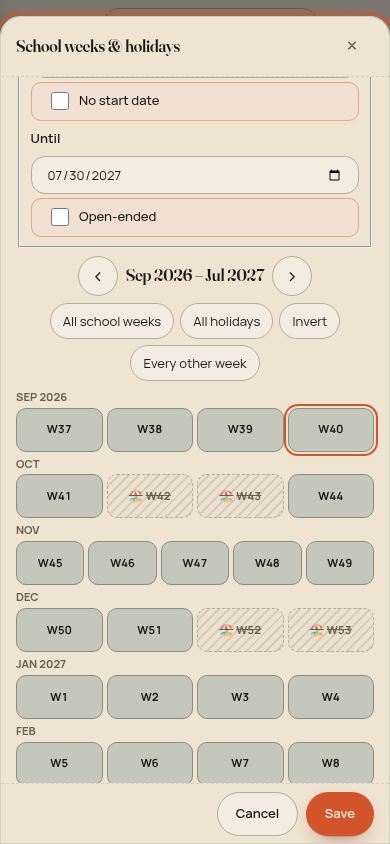
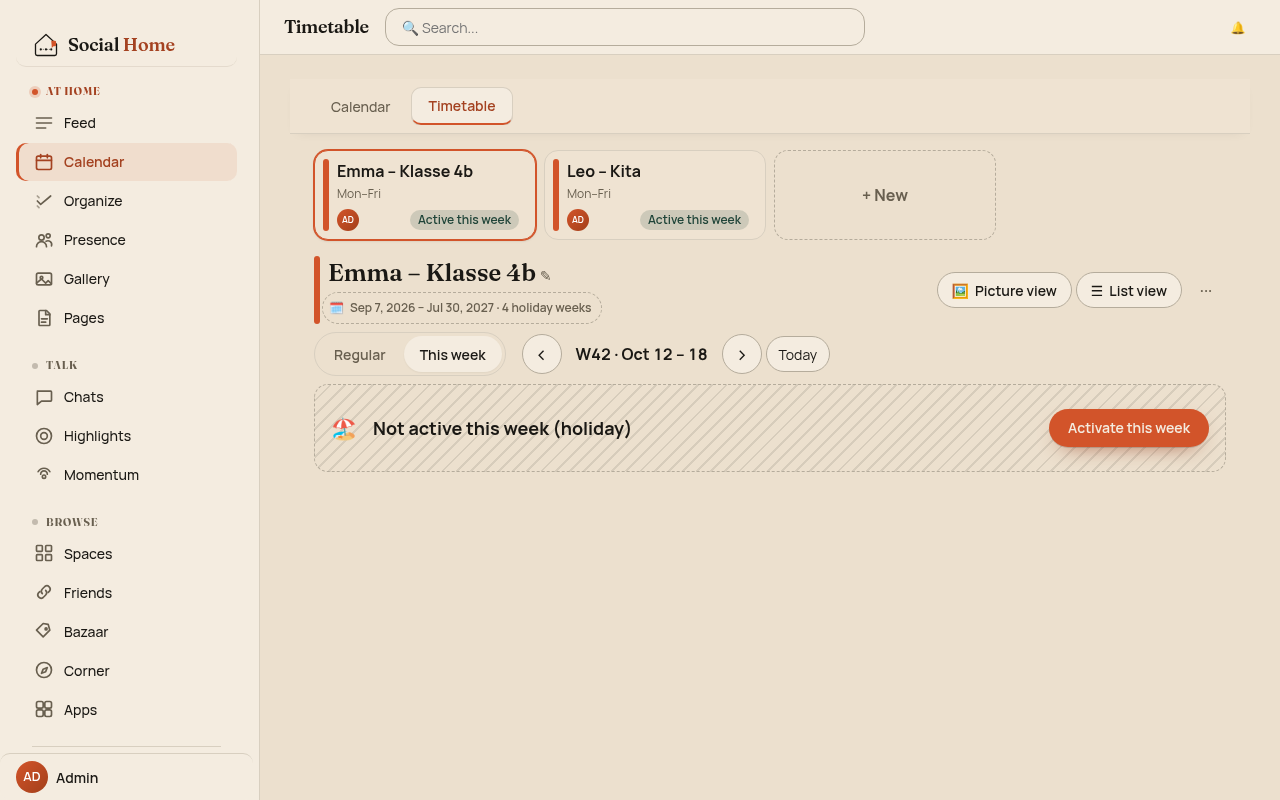
A timetable belongs to one continuous school year, September to July. The school-weeks picker lists every week as a chip. Mark the holiday weeks once and the plan goes quiet during them. Holiday weeks are striped and carry a 🏖, so you can tell them apart without relying on colour. If school runs anyway, one click on “Activate this week” brings the plan back.
When this week is different
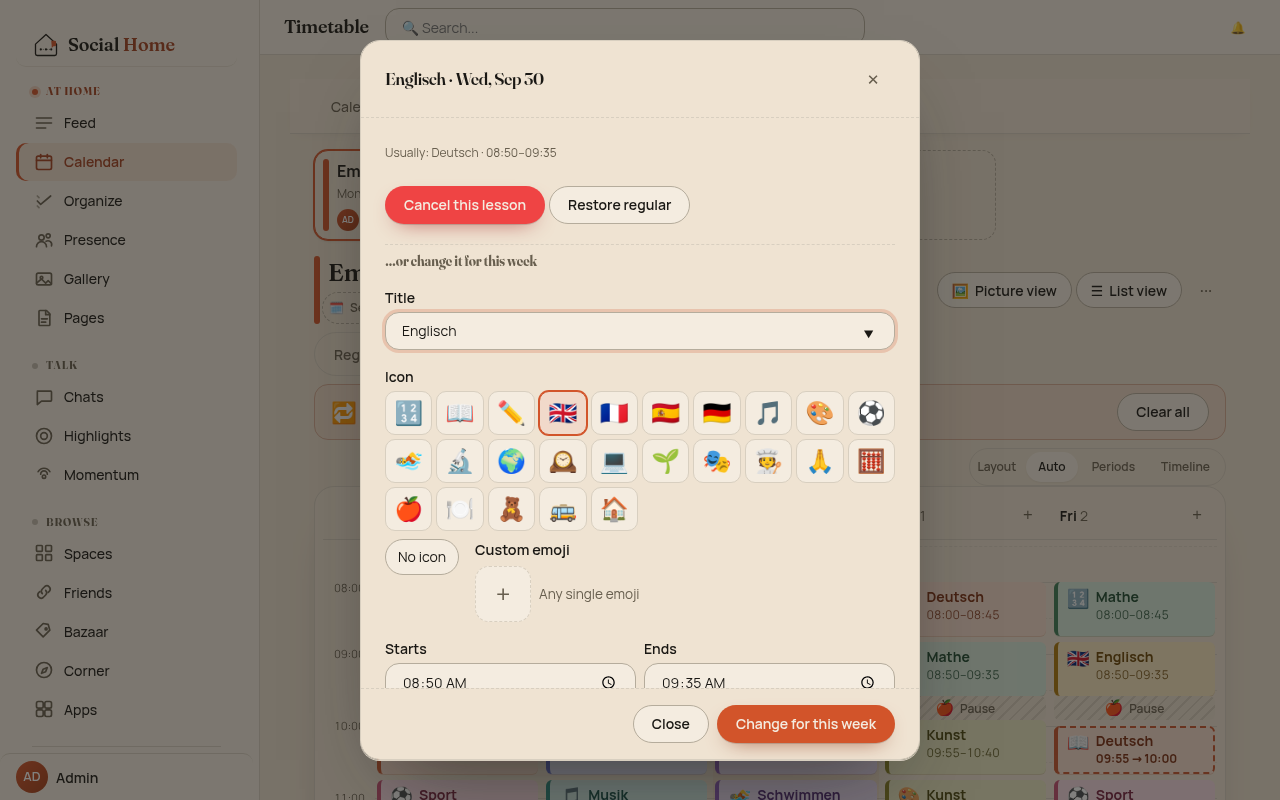
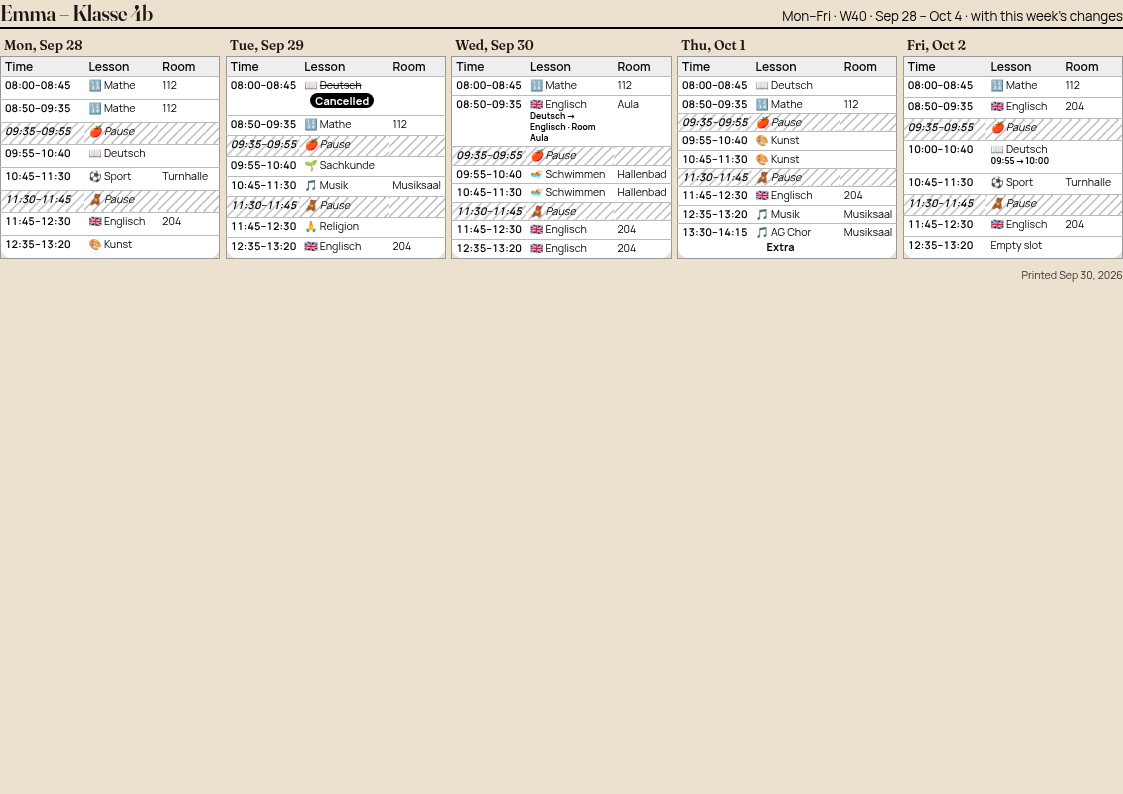
Teachers get sick, rooms move and choir rehearsals get added. Switch to This week and change a single lesson for just this week: cancel it, change the subject, room or time, or add an extra lesson. Everything you don’t touch follows the regular plan. Next Monday the changes are gone on their own, and “Clear all” resets the week early if you need it.
On paper
Sometimes the fridge really is the best place. Print gives you one A4 landscape page, laid out to read just as well in black and white: the regular plan as a table, or this week with its changes marked.
Today, on your home screen
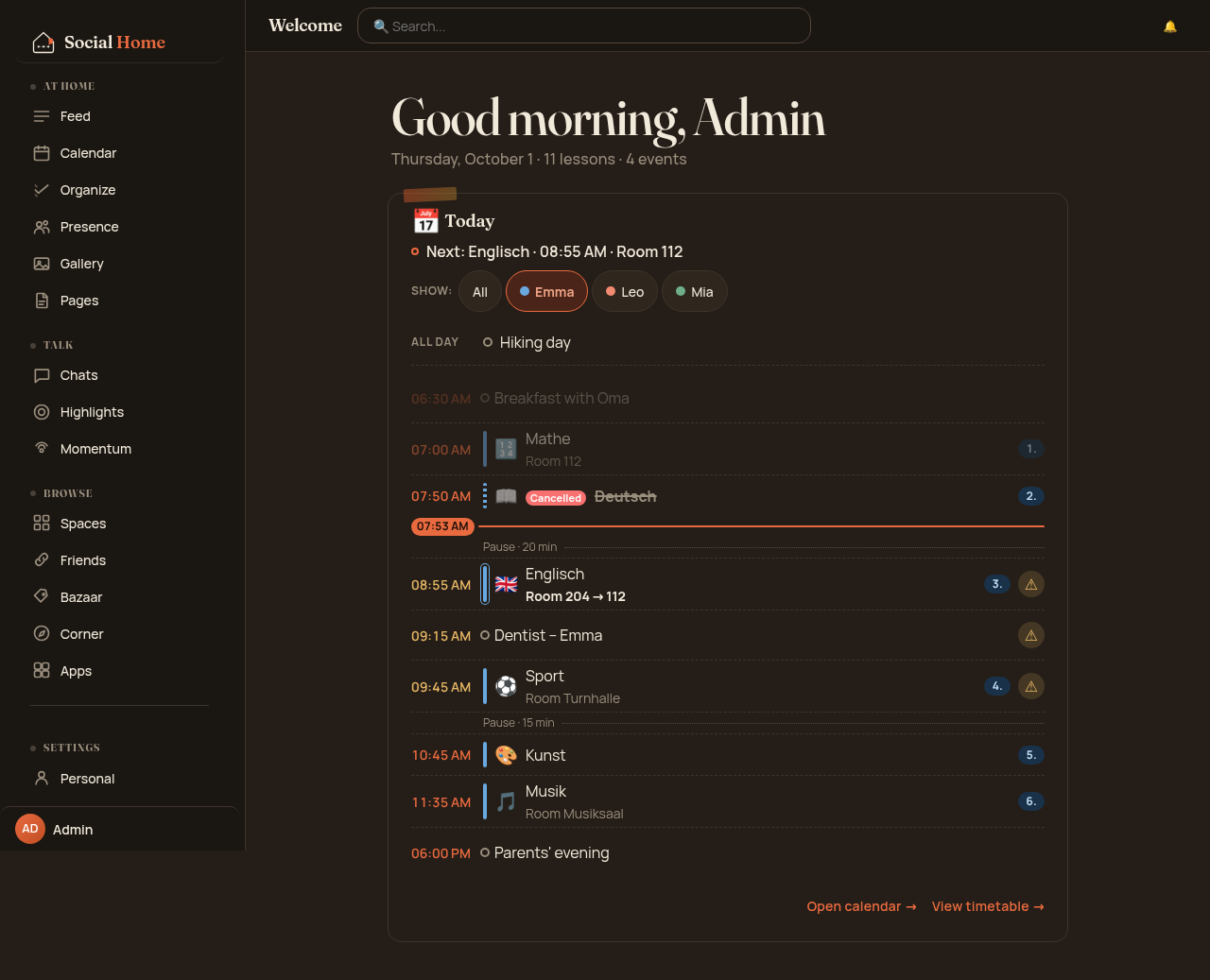
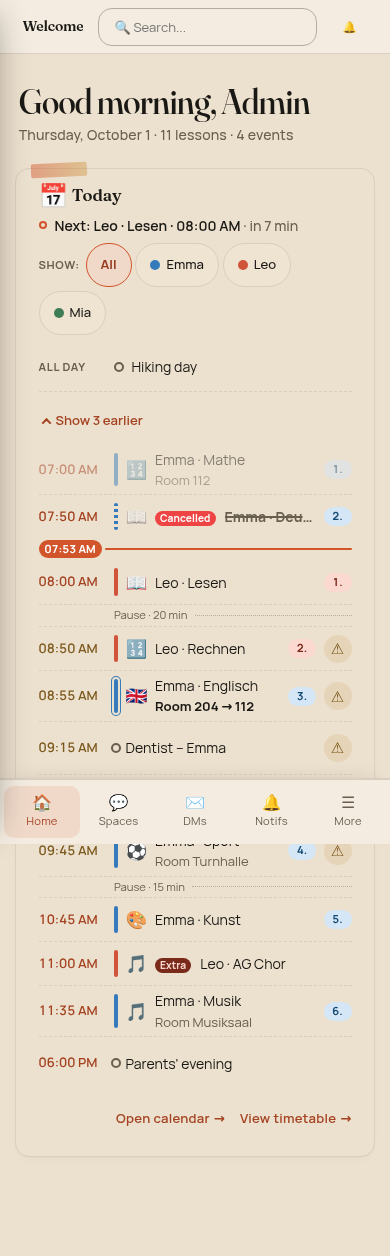
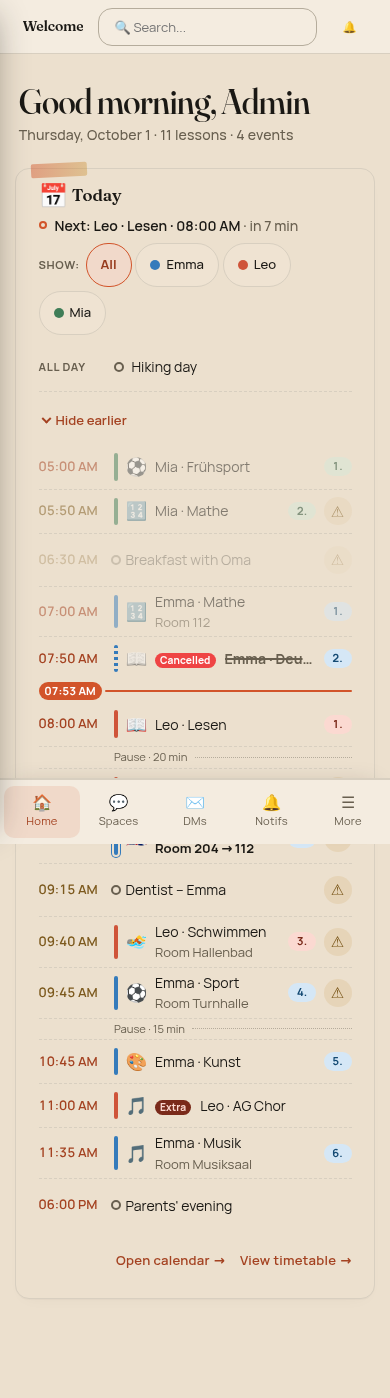
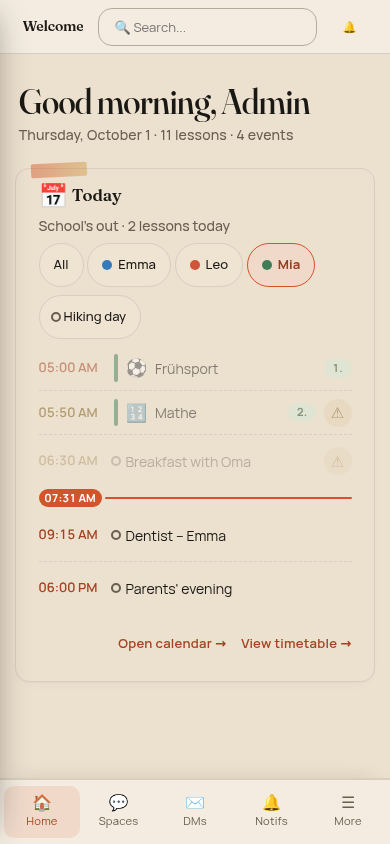
This is where the timetable earns its place in a household OS. The Today card on your welcome page merges every child’s lessons for today with today’s events from the calendar. It shows Now and Next at the top, a red now line through the list, and a ⚠ wherever an event overlaps a lesson, like the dentist appointment during English. With several children, a “Show:” filter narrows the card to one of them. Rows that are already over fold away, and once the last lesson ends the card simply says “School’s out”.
Shared with the class
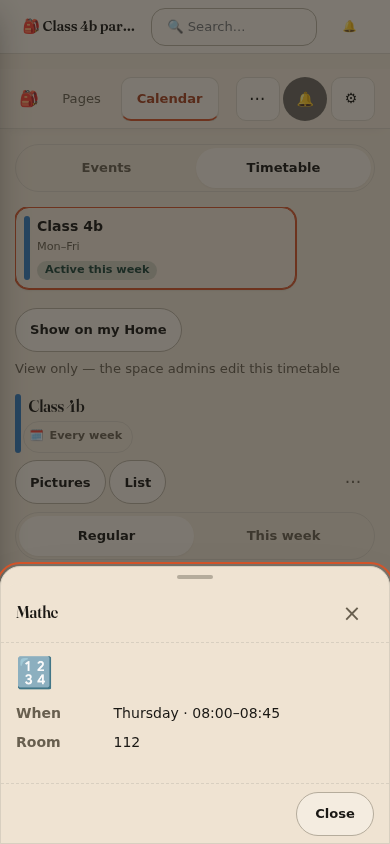
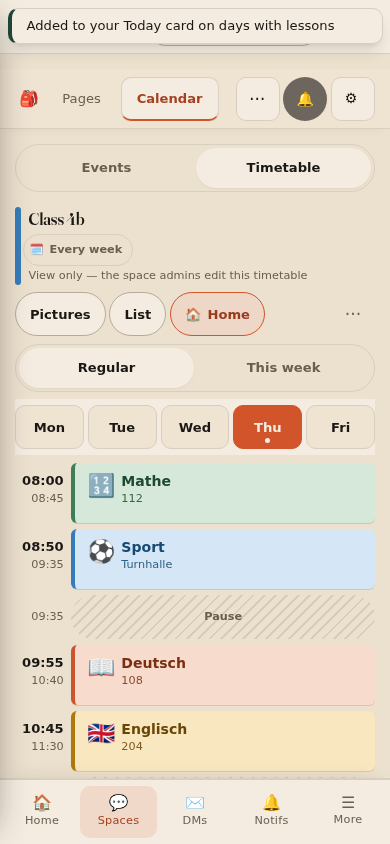
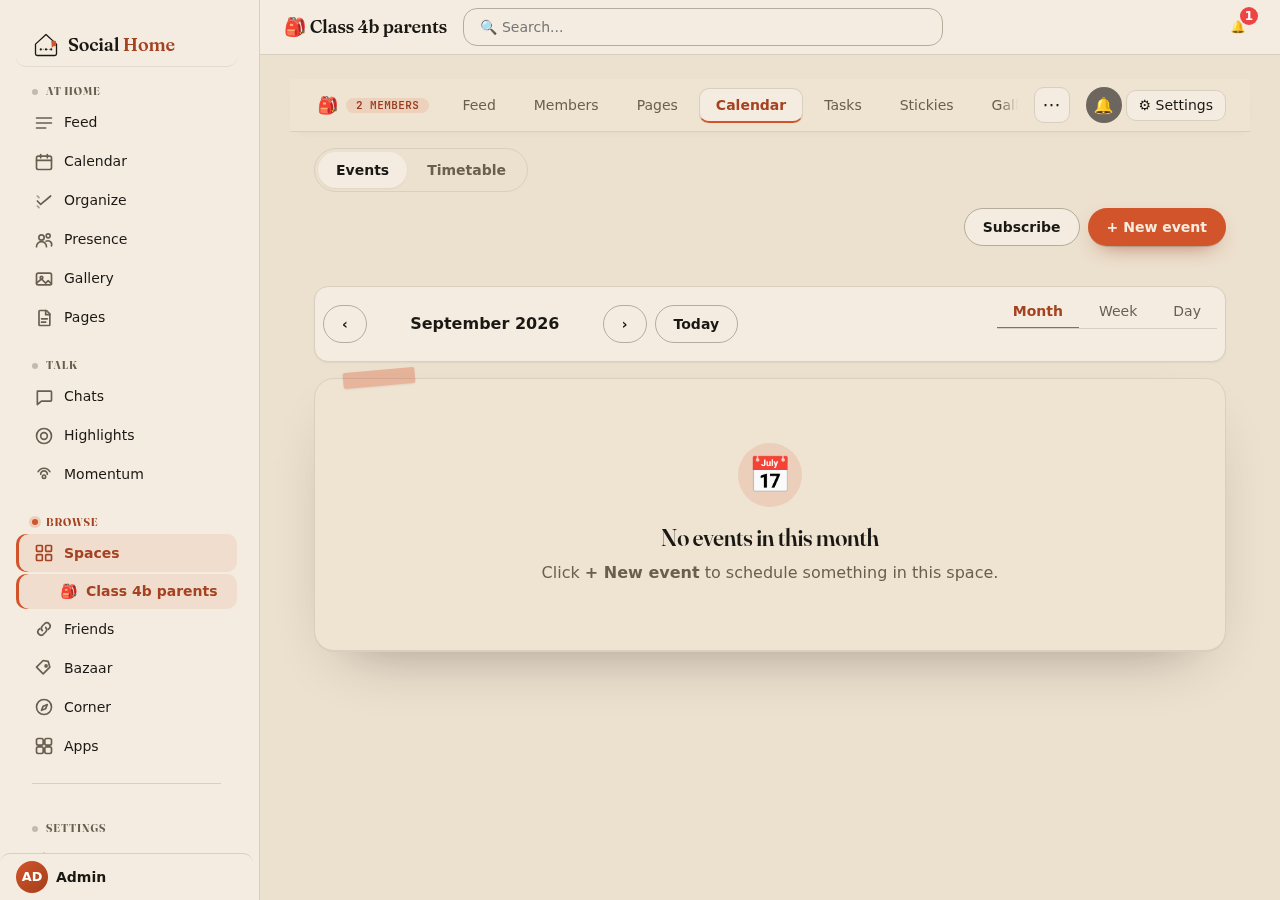
Social Home is also a federated social network, and timetables use that. A class-parents space can keep one timetable for the whole class. The space admins get the full editor. Every member household gets a read-only view (with room, teacher and notes) and a 🏠 Show on my Home toggle that pins it to their own Today card.
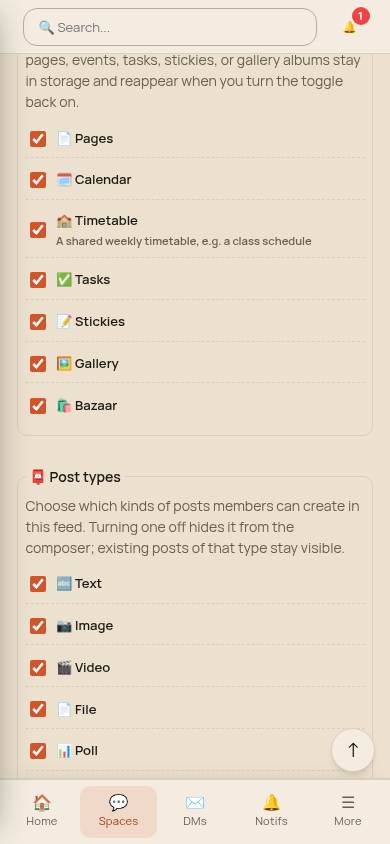
The plan travels the way everything in a space does: household to household, between paired servers. When the class rep moves PE to Friday, every pinned household sees the change. Nobody has to send a group message about it, and no central service holds a copy of the class schedule. The Timetable feature is off by default for each space, so a space admin switches it on in the space’s settings.
Small things that came along
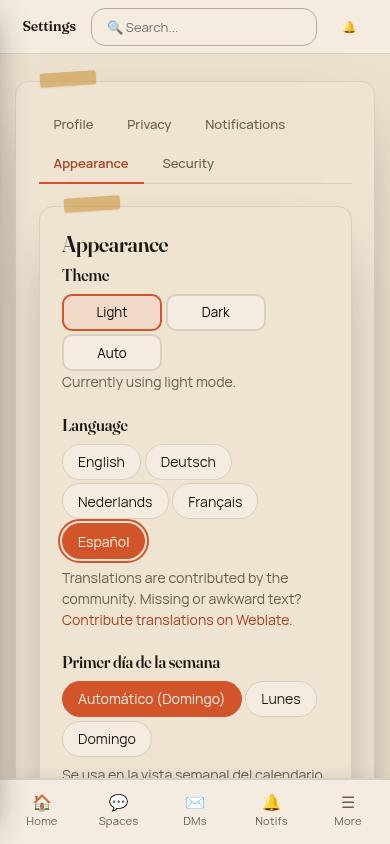
Two settings came out of this work and apply everywhere. You can now choose the first day of the week, and new timetables start their week on it. The language picker remembers your choice across reloads and devices and works with the keyboard.
What’s next
Timetables made it clear how much of a household’s day fits on one glanceable screen. So the next feature is a home dashboard: a calm overview of the day for the whole household. It will also work on ESPHome displays, so a small screen by the front door or in the kitchen can show who has what today without anyone unlocking a phone. It’s still being built, and we’ll write about it here when it’s ready to try.
Try it
Timetables shipped in Social Home 2026.10.1. New to Social Home? Getting started takes you from Home Assistant to your first household in a few minutes.